9
EN
Wired mode & wireless mode
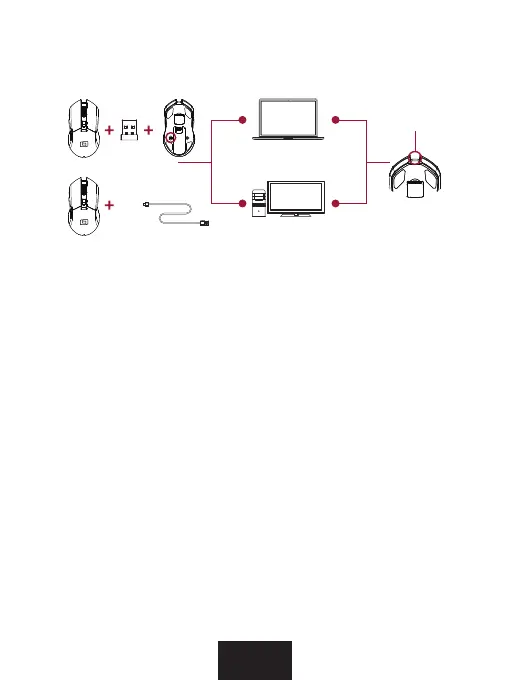
Cable mode
Connect the mouse directly to an available USB port on your
PC using the included USB Type-C to USB Type-A cable.
Wireless mode
Plug the USB Type-A dongle into a free USB port of your PC.
Once the USB Type-A dongle is recognized by the PC, press the
pairing button on the bottom of the mouse to allow the mouse
to connect to the dongle.
The USB Type-A dongle is located in a ap inside the mouse
(see picture on previous page).
Port for
Cable connection



 To Next Page