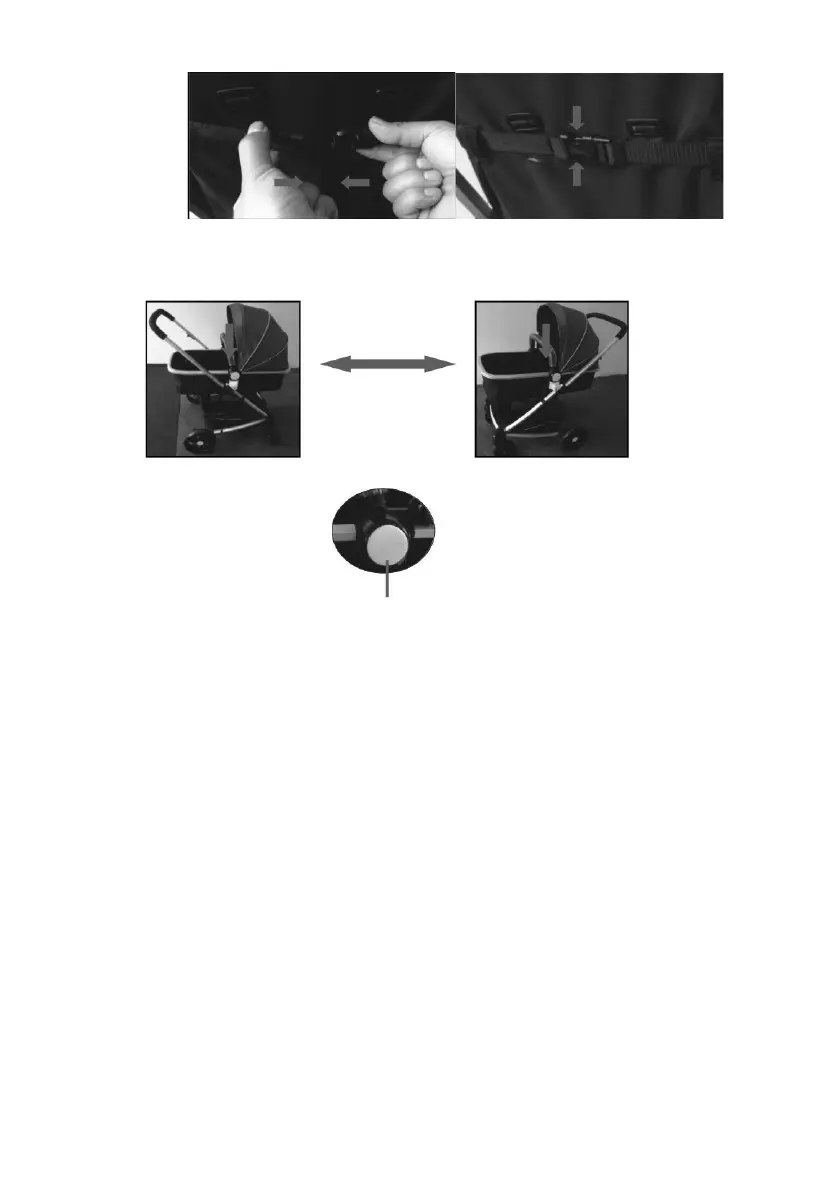
6. Disassembling the carrier: To remove the carrier from the main frame
press the lock buttons located in the middle of the both sides of the
carrier (please look at the pictures below):
7. Installing the carrier on the main frame: Slide the carrier’s stem into the
main frame. Make sure there is no slack and the carrier is properly
secured in place. The carrier can be installed in a forward or rear-
facing position.


 To Next Page