‑ 13 ‑ EN
USE
To start the device, connect it to a power source or insert baeries, then press the
switch on the remote control (1, g. B).
Rocking mode
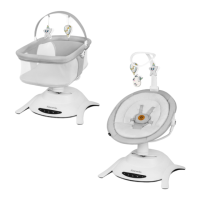
The product allows you to select one of 3 unique rocking movements. To change the
rocking moon, li the lever located in the main module (g. 9) upwards and then
move it le or right.
The product allows a 5-posion adjustment of the rocking speed. To increase or
decrease the rocking speed, press buon 2 on the control panel (2, g. B) or buon
6 on the remote control (6, g. C).
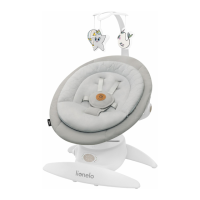
Rotang seat
The seat can be rotated 360° in any direcon (g. 10). To do this, grasp the seat and
gently turn it in the desired direcon.
This funcon allows you to change the direcon of rocking and to posion the seat
so that you can always maintain eye contact with your child.
Seat lt adjustment
To change the posion of the seat, press the adjustment buons on either side of
the frame (g. 11) , then choose one of the three posions - half-sing, reclining or
half-lounging.
Child movement detecon
To acvate the child movement detecon funcon, press buon no. 6 (g. B) on the
control panel or no. 5 (g. C) on the remote control. Press again to switch o.
When the baby's movement is detected, the rocking and the melody will be switched
on automacally.
Timer
To start the mer for 15 or 30 minutes, press buon no. 7 (g. B) on the control panel
or buon no. 14 (g. C) on the remote control.
Press once to set the mer for 15 minutes. One indicator light (8, g. B) will light up.
Press a second me to set the mer for 30 minutes. Two indicator lights (8, g. B)
will light up.


 To Next Page