Rev: 09.27.21 Page 4 CCD-0004071
Pairing OneControl BT App to Repeater
1. Download the LCI OneControl BT app on either an iOS or Android smart phone.
2. After the LCI OneControl BT app has been downloaded, tap the OneControl BT icon (Fig. 3A) to launch
theapp.
3. Read and accept the License Agreement (Fig. 4). Tap I Accept button to continue.
Fig. 2
Preparation
Install Repeater
1. Locate and remove film cover (Fig. 2A) from repeater dock.
NOTE: Film cover should be removed only when ready to install repeater.
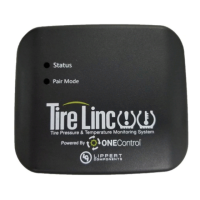
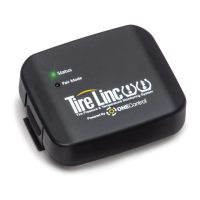
2. Snap the repeater (Fig. 2B) into the repeater dock (Fig. 2C).
NOTE: The repeater dock is keyed and the repeater can only be installed in one way.
3. The repeater will power on, lighting up the Status LED (Fig. 2D) and blinking to indicate the repeater
has power.
NOTE: If the Status LED does not light up, check the in-line fuse to the dock to ensure the dock has power.
Fig. 3 Fig. 4
A
A
D
B
C



 To Next Page
 Loading...