LE17BLBK
v1
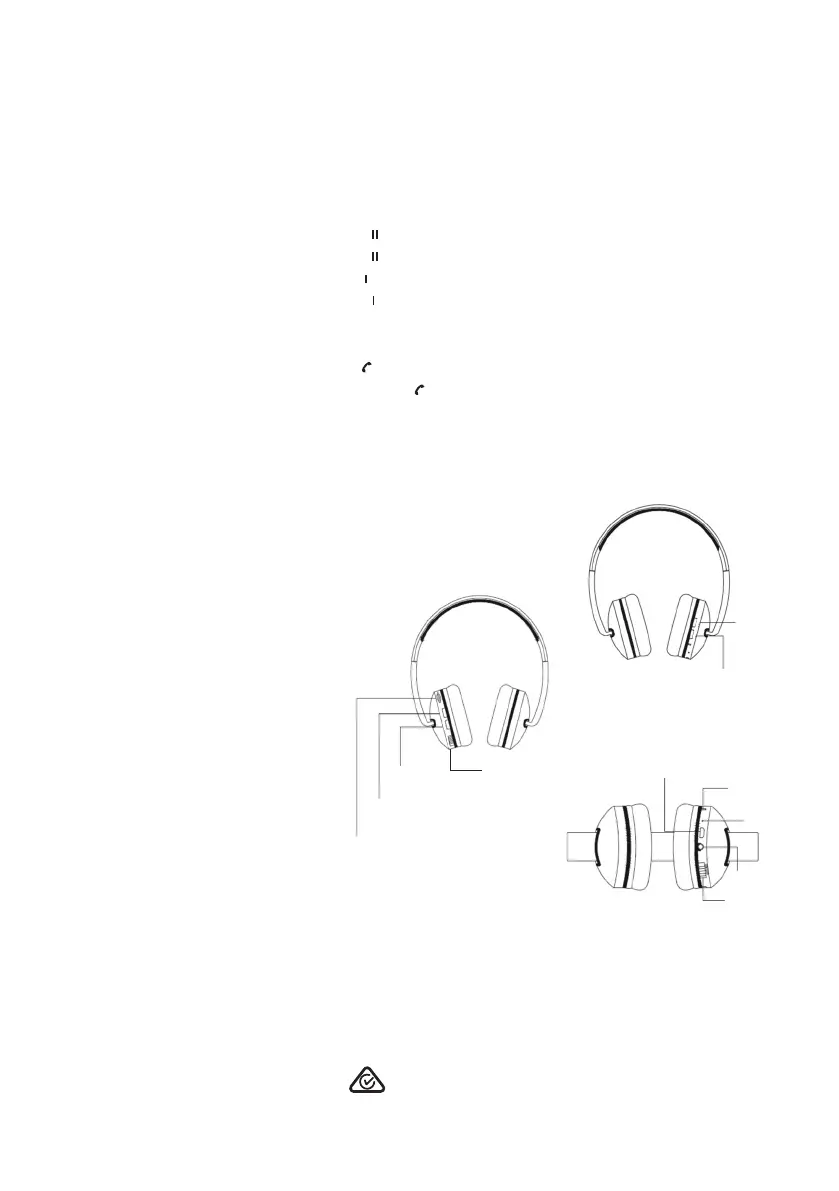
Overview:
1. MicroSD card port
2. Volume up/next song button
3. Volume down/previous song button
4. Power on/off slider switch
5. Mode/Call answer button
6. Play/Pause button
7. LED indicator
8. Built-in microphone
9. Micro USB charging port
10. 3.5mm Audio cable port
Function Operation
Pause Press [▸ ] button
Play Press [▸ ] button
Previous Song Press [ ◂◂] button
Next Song Press [▸▸ ] button
Volume Down Press & hold “-” button
Volume Up Press & hold “+“ button
Answer Call Press [ ] button
Listening Mode Press & hold [ ] button and listening
mode will change from Bluetooth to MicroSD card
1
2
3
4
FRONT VIEW
REAR VIEW
BOTTOM VIEW
5
6
9
7
8
10
4
The Bluetooth® word mark and logos are registered trademarks owned by Bluetooth® SIG, Inc.,
and any use of such marks by The Crest Company is under licence.
Liquid Ears™
PO Box 5658 Brendale QLD Australia 4500
Customer Support 1800 812 261
www.liquidears.com
DESIGNED IN AUSTRALIA
WIRELESS
Lightweight Headphones


 To Previous Page
 Loading...