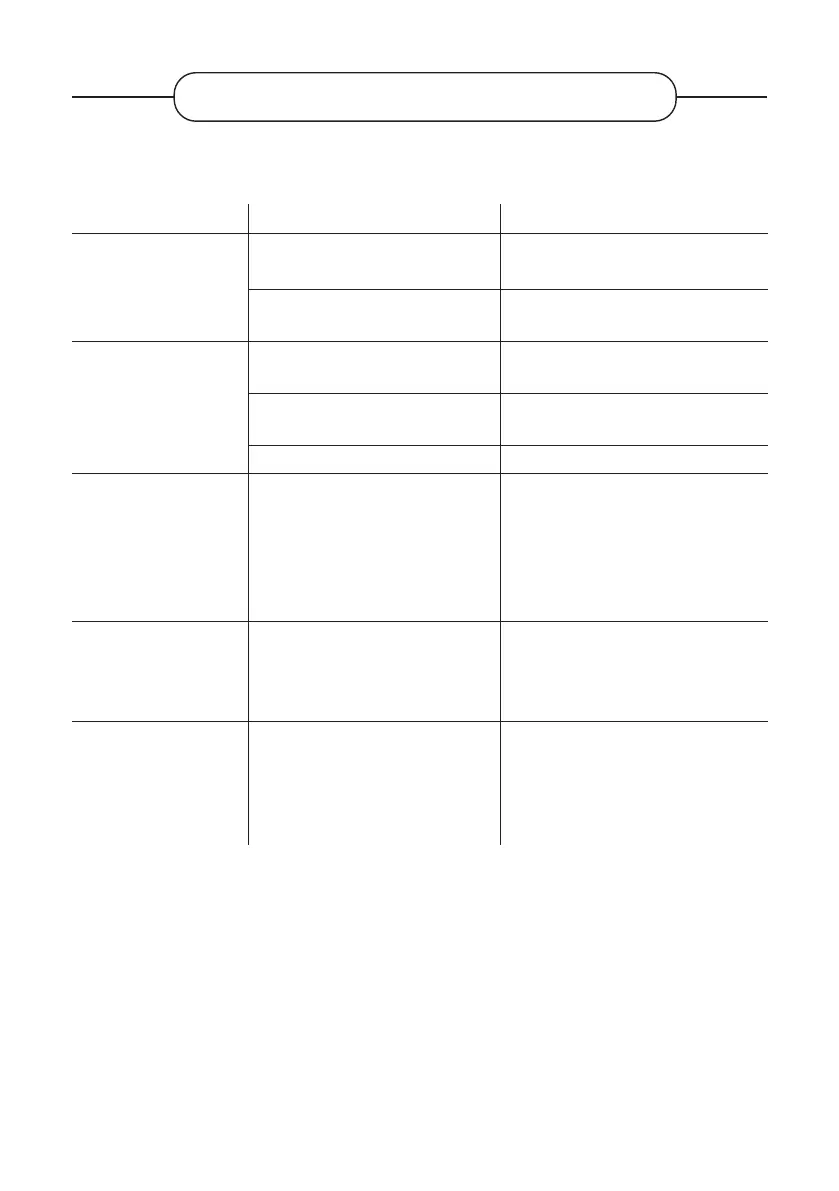
TROUBLESHOOTING
Before contacting your after-sales service, carry out the following basic checks.
Symptoms Possible causes Solutions
No power.
The power cord is not plugged in.
Make sure the power cord is plugged
into the wall outlet.
The power point is disconnected
from the power supply.
Try plugging the TV into dierent
power outlets to cross-check them.
No picture or sound.
The picture settings are poorly
adjusted.
Check the image brightness and
contrast settings.
Sound is o.
Make sure that the Mute mode is not
activated
The TV is not turned on. Turn on the TV.
There are no HD DTT
channels or the image
is distorted.
The reception of digital terrestrial
television (DTT) channels is
only possible in the areas with
coverage. Check the proximity of a
transmitter. Check the quality and
strength of the receiving signal.
Have your installation checked by a
professional.
The remote control is
not working.
There are no batteries in the
remote control, or the batteries
are dead.
Check that the batteries are correctly
inserted in the remote control.
Check the batteries. If they are dead,
replace them.
The USB removable
media cannot be read.
The format is not supported.
Check that the formats used are
compatible with this appliance.
Unplug the removable device and
plug it back in. Format the USB
media, and try again.
V.1.0 58



 To Next Page