Downlighting
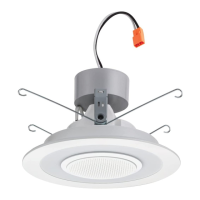
6SL, 6" Bluetooth Speaker Downlight
Frequently Asked Questions
SPEAKER & AUDIO PERFORMANCE
Who manufactures the speaker?
The speaker is proprietary and custom made for
Lithonia Lighting.
Where does the speaker fit in the HiFi category?
The speaker in the 6SL is mono (1x driver), not stereo
(1x left driver + 1x right driver). Hi-Fi by definition is stereo,
so it wouldn’t be appropriate to put 6SL in a class with
hi-fi speakers.
How many Watts is the speaker itself?
5W.
Is there a way to turn off the speaker indicator
lights and sounds?
The speaker indicator lights and sounds cannot be turned off.
Note: Some customers may notice an occasional “random”
beeping sound from the speaker (usually in the middle of the
night). The sounds can be if someone nearby is accidentally
connecting to the speaker; but do you know if there are any
Satellite units being used in this application? If there are,
then the beeping may be specifically from Satellite speaker
units indicating:
Disconnection from Master Unit (when Master goes to sleep)
Low battery / Off
Can I stop the texting alert or other device system sounds
from coming through the speaker?
Yes, you can turn off the alert sounds (texts, ringtones,
new mail, new voicemail, tweet, etc.) through the sound
settings in your device (reference device manufacturer’s
manual if needed).
If someone calls while you are connected to the Bluetooth,
does it come out of the speakers?
If someone calls, the speaker will automatically pause when
you pick up the call and then you can resume audio play after
the call has ended. The speaker will not play during the call.
If Bluetooth is hooked up are they all going to play even if
the light is off?
The speakers can play with the lights off, but make sure:
The protective tab has been removed
The battery is charged
The speakers are awake (toggle the light switches)
If the speaker does not wake up when you toggle the light
switch, turn the light switch off for 45 seconds and then
turn it back on to wake the speaker up.
The Master unit is paired to your Bluetooth device
Is there any limitations to the type of ceiling it can be
mounted in that it would interfere or have an effect on
distance for the Bluetooth?
The 30ft range does not account for people or objects that
may be causing interference. Ceiling height and materials
may have an effect on the Bluetooth signal depending on
the location of the connected device. If the device is located
directly under the speaker there should not be much of any
issue. As the device is moved away from the speaker, the
signal has to move through more materials and objects (walls,
ceiling, sides of recessed housing, appliances, etc.) which may
cause interference.
If having signal quality issue: Try moving the device closer
to the master unit speaker and keep it stationary to see if
there is any improvement. Remove any objects or bodies
between the Master unit and the device that may be acting as
a block and that causes signal interference. To prevent signal
interference, do not place the speaker downlights close to
heavy electromagnetic emission devices or equipment such
as household appliances or ceiling fans.
Why is the speaker turning off after 30 minutes?
The Master unit speaker will go into sleep mode after 30
minutes of being disconnected from the device and having
no audio play. To wake it up you will need to toggle the light
switch. This is how the speaker was designed and cannot
be changed.
If the speaker is turning off after 30 minutes while music is
playing, that may be an issue. The first things to check are:
Confirm the Protective Tab has been removed from the
back of the speaker battery cover
Confirm battery is charged


 To Next Page
 Loading...