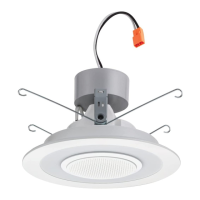
6SL, 6" Bluetooth Speaker Downlight
Frequently Asked Questions
One Lithonia Way, Conyers, GA 30012 | Phone: 800.315.4963 | www.acuitybrands.com
© 2018 Acuity Brands Lighting, Inc. All Rights Reserved. | LL_7656_0318
Visit www.lithonia.com for more information
Is there a way to pair a Master unit to my TV?
If your TV has Bluetooth
®
audio streaming functionality, yes
you can pair a Master unit to your TV.
If your TV does not have Bluetooth
®
streaming functionality:
Purchase a Bluetooth dongle (aka Bluetooth
®
TV adapter
or Bluetooth
®
audio transmitter) from your local or online
electronics store to add Bluetooth
®
audio streaming capability
to your TV.
Does the recessed Bluetooth speaker work with devices
such as Amazon Alexa, Apple TV, Google Home? Or other
Bluetooth enabled smart home devices, portable stereos,
home stereos etc.?
Yes, the speaker is capable of pairing with Bluetooth enabled
devices. We have tested and confirmed it works with the
Amazon Echo Dot which has Alexa. The key feature that allows
the speaker to work with these devices is that they must be
Bluetooth enabled.
PAIRING SATELLITE UNITS
I just bought a new unit and want to use it as a Satellite;
why isn’t it pairing correctly to the Master Unit?
Before pairing the Satellite unit to the Master Unit confirm:
1. The protective tab has been removed
2. The speaker battery has been activated (by plugging into
power outlet)
3. Then turn OFF the speaker and unplug or disconnect it from
the building power.
4. Confirm unit is in Satellite mode (via the toggle switch on
the back of the speaker).
5. Confirm units are in close range to each other and pair
them together on a table top or similar work surface
(reference instructions).
If there are any further issues getting the Satellite paired to
the Master:
1. RESET both speakers (hold on/off button + Pair button).
2. Turn both units OFF for 30 seconds, then turn them back ON
3. Pair per instructions.
If I move the fixtures to a new location, will I have to pair
the fixtures again?
No. Once paired together the units will stay dedicated to each
other until you either:
Change a Satellite Unit into a Master Unit (via the toggle
switch on the back of the speaker).
Pair the Satellite Unit to a different Master Unit.
BATTERY PERFORMANCE
Why isn’t my battery getting a full charge after 4 hours?
Make sure the protective tab has been removed from the back
of the speaker before charging. If your battery is on a dimmer,
confirm it is 100% on. Note: Charging the battery at a very
low temperature such as below 0°C (32°F) will result in lower
capacity and reduced battery life.
What happens when charging the battery if the fixture is
always dimmed to the low state? How do you keep the
charger from burning up when low voltage is supplied?
The battery will still charge, but not as quickly as when
not dimmed.
If the fixture is on a dimmer and it is dimmed, does the
speaker go on battery power and stop charging?
No, the battery will still charge while the lights are dimmed,
but not as quickly as when not dimmed.
What is the life of the battery?
The shelf life of battery still in the retail carton is about 2-3
years. Notes:
If the protective tab is removed and the light is not turned
on to charge the speaker, then it will run out of battery
within 3 months.
If the battery is fully charged and the light is turned off, then
speaker will play music for about 6 hours.
Charging the battery at a very low temperature such as
below 0°C (32°F) will result in lower capacity and reduced
battery life.


 To Previous Page
 Loading...