22
MEET THE BIT
o21 NUMBER
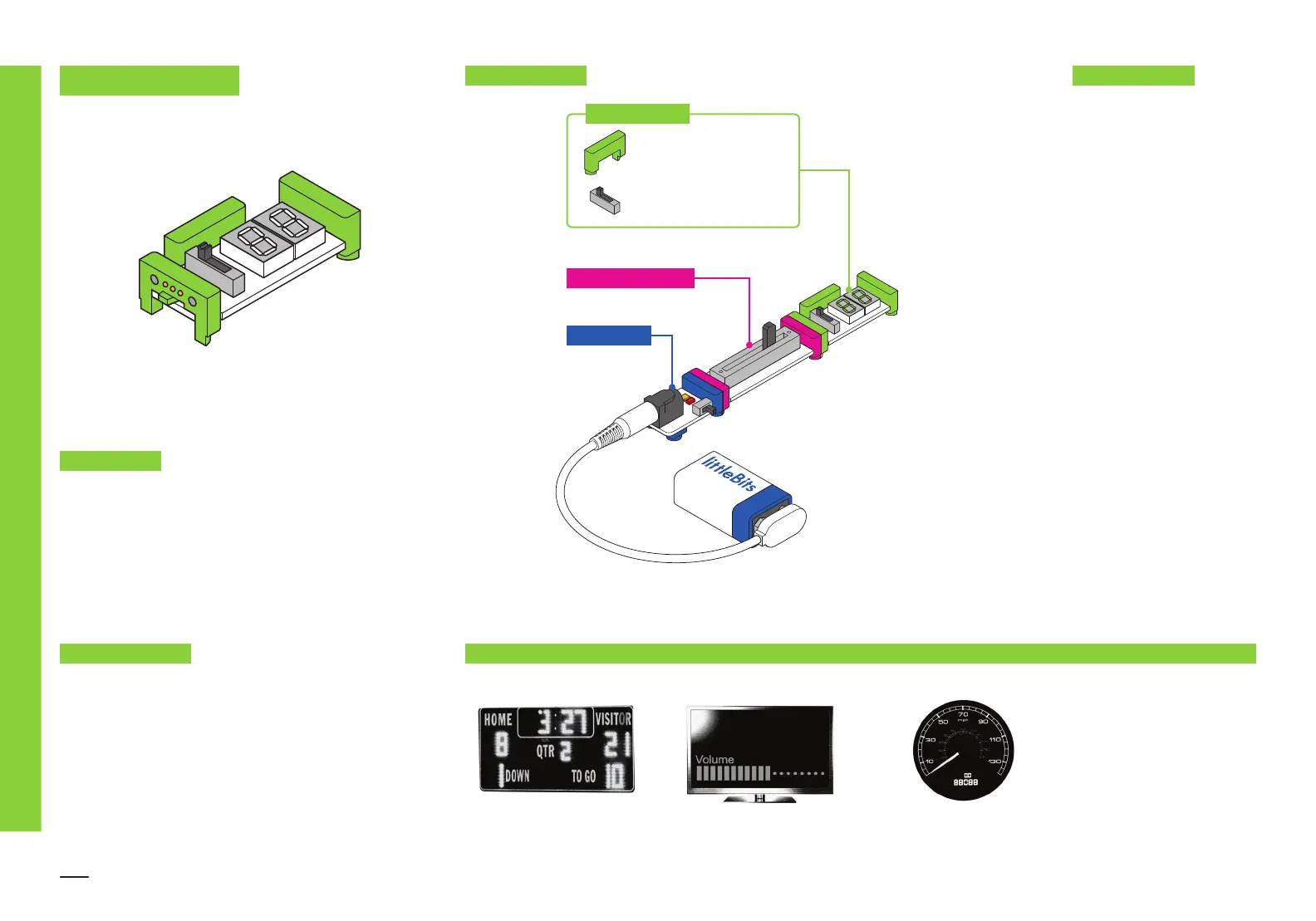
The number displays information that it receives from the Bits
before it. It's a great way to measure the input from sensors or
count things, like the score in a game.
The number Bit displays
information about the signal
it’s receiving.
In COUNT mode, the Bit can
count up or down when the
Bit receives an input signal
over 2.5 volts. It can be
reset by receiving a signal
through the reset bitSnap.
In READ mode, the Bit
displays information about
the signal it’s receiving in
either volts ranging from
0.0–5.0 or values ranging
from 0–99.
The signal leaving the Bit will
always match the number
being displayed, even in
COUNT mode. For example,
if you count up to 38, the
signal leaving the Bit will
be 38% of full power.
SCOREBOARD VOLUME INDICATOR ON TV SPEEDOMETER
p1 POWER
i5 SLIDE DIMMER
Reset bitSnap
TM
MODE: count or read
o21 NUMBER
MINI-CHALLENGE
Can you invent a game that uses an automatic score counter?
REAL WORLD ANALOGIES
SAMPLE CIRCUIT HOW IT WORKS
v
o
o
o
o
o
o
o
m
v
o
o
m
!


 To Next Page
 Loading...