12
33.C.159.1409
Quick Guides | ICS.2
Back to start
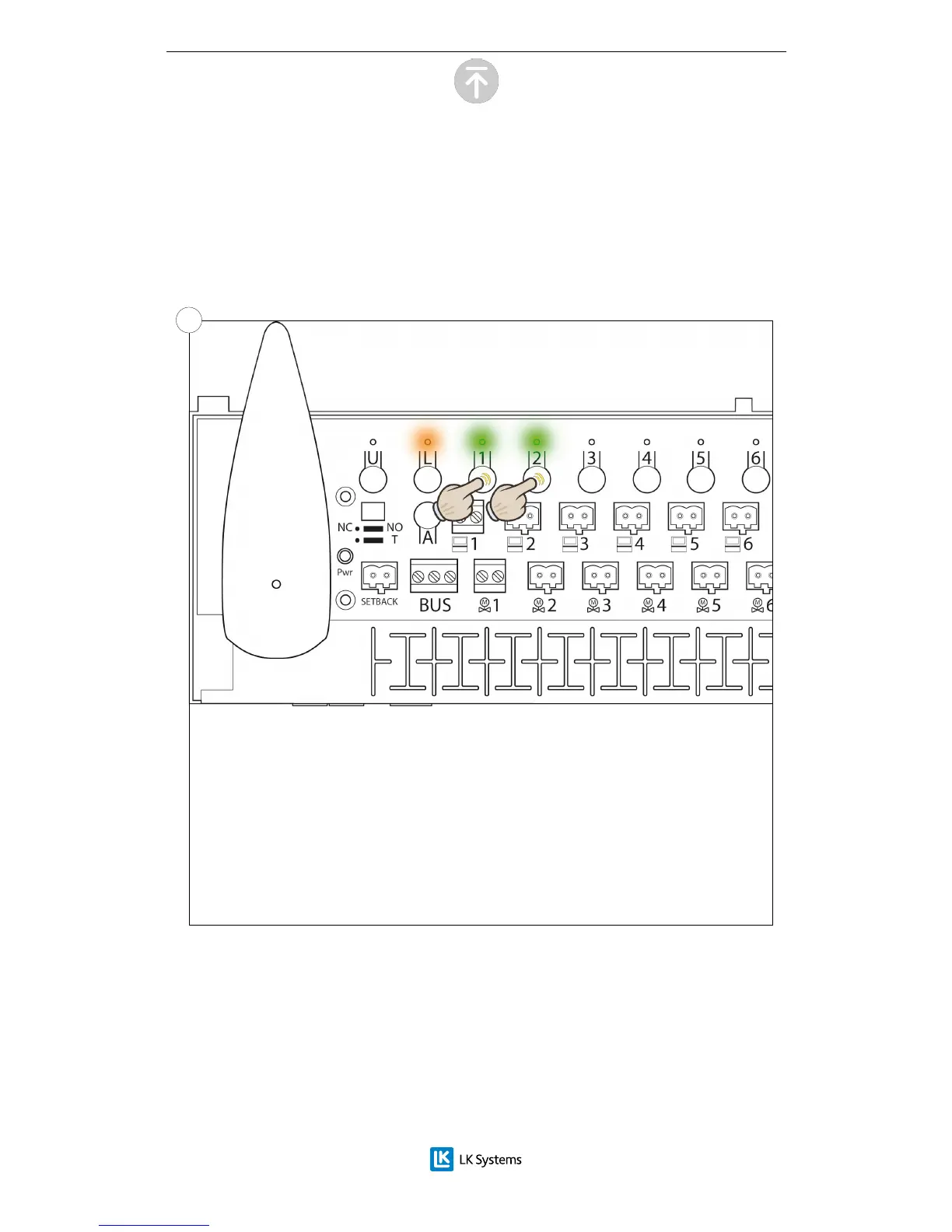
The lights of the receiver unit turns on to a orange light for the L light and a solid
green for the channel lights. Choose the channel or channels by pressing the
corresponding channel buttons (1 – 8). To show that a channel has been chosen
the light for that channel starts to blink.
Press the channel button again to undo a choice of channel.
Already occupied channels are shown by an orange light.
4.4


 To Next Page