3
33.C.159.1409
Quick Guides | ICS.2
Back to start
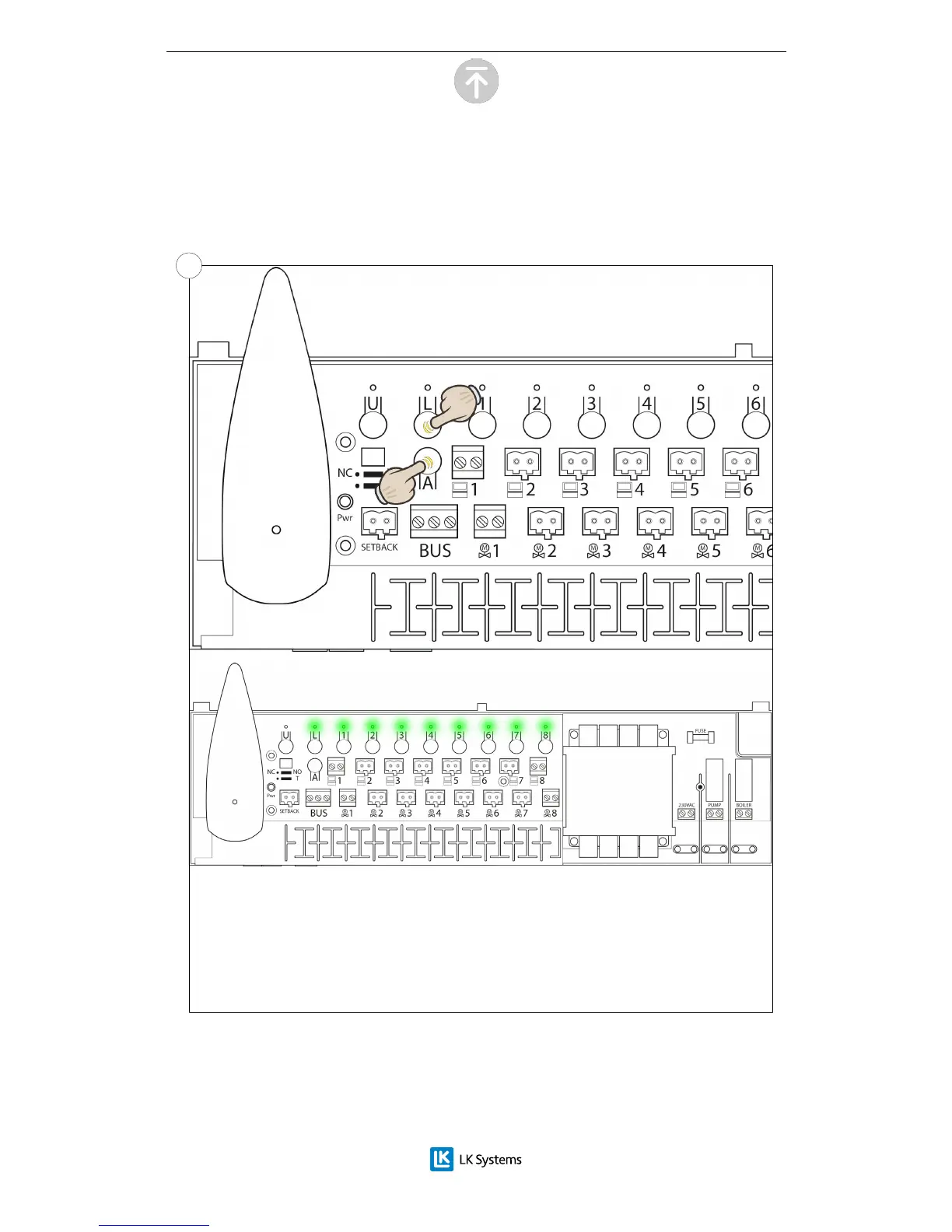
The Master unit is setup by pressing and holding the L and A buttons until the
lights of the receiver unit lights up to a solid green light. This shows that the unit
is set as Master.
In a system containing several receiver units, one of these is to be assigned as
being the Master unit.
Del 2 - Setup of the Master unit
Note: This part of the setup procedure should be performed in all systems.
2.1


 To Next Page