9
33.C.159.1409
Quick Guides | ICS.2
Back to start
Prepare the themostats of the system.
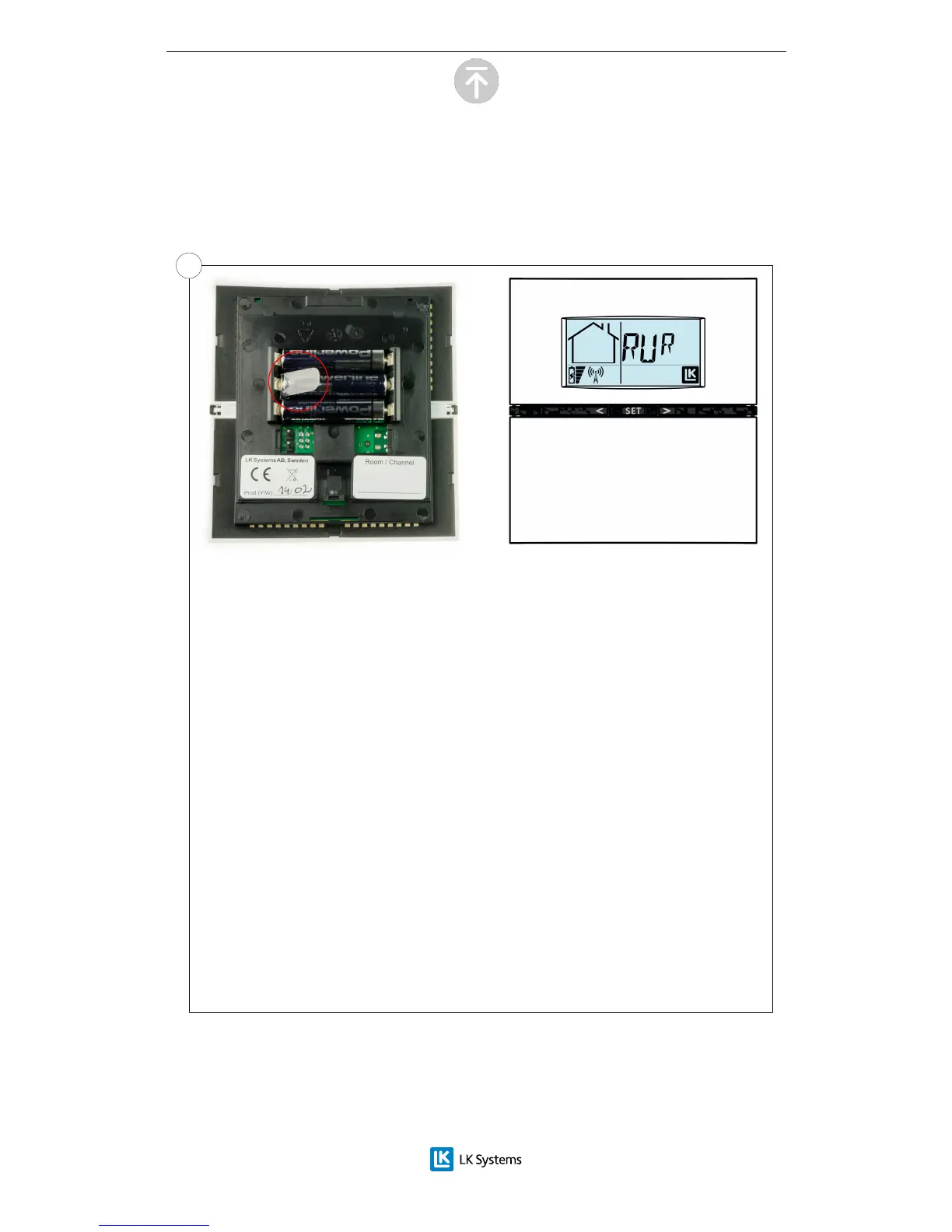
For wireless thermostats:
Remove the plastic insulation from the battery compartment (marked in the red
circle). The room thermostat display will show RUR.
Wired room thermostat:
Check that the room thermostat is connected to
the receiver. The room thermostat display will
show RUW.
Note: The installation of the room thermostats is the same whether it is a
wireless or wired connection to the receiver.
Del 4 - Setup of room thermostats
4.1


 To Next Page