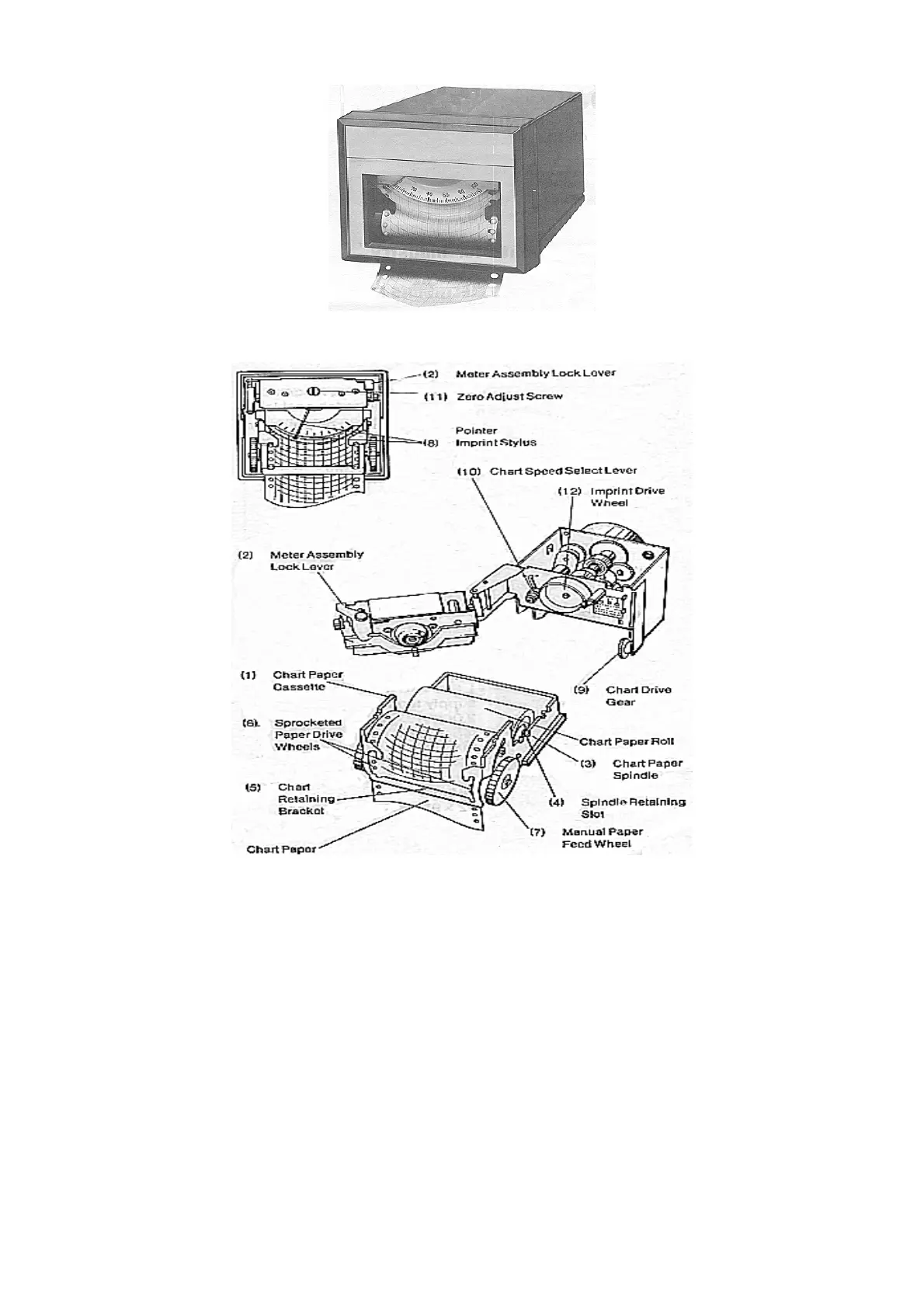
Note that the stylus may not move freely if the recorder is in the imprint section of its
operating cycle with the stylus pressed against the chart paper. In this case the
recorder chart motor should be operated for a few seconds until the imprint pressure is
released, or the imprint drive wheel (12) can be manually rotated. The chart paper can
be manually advanced by operating the manual paper feeding wheel (7) to set the
desired zero time position.



 To Next Page