Loewe bild
User handbook
67
Sources
Explanation of the source menu options
A source has been selected.
The menu items available in the menu options depend on the
currently marked object (data source, directory, file).
MENU: Call menu options.
Select desired menu option,
OK Confirm selection.
Favourite Add marked media file to the Favourites in Home
view.
Sorting Sort media files in the opened directory in alphabetical
(ascending A-Z or descending Z-A) order, file size or
date (newest entries first).
Filter Select the desired filter (Audio-Titles, Audio-Artists,
Audio-Album, Photo or Video) and thus hide the
other files.
The filter is automatically reset after leaving the
archives.
Log off The current selected USB source can be safely
logged off from the TV set via this menu option before
disconnecting it.
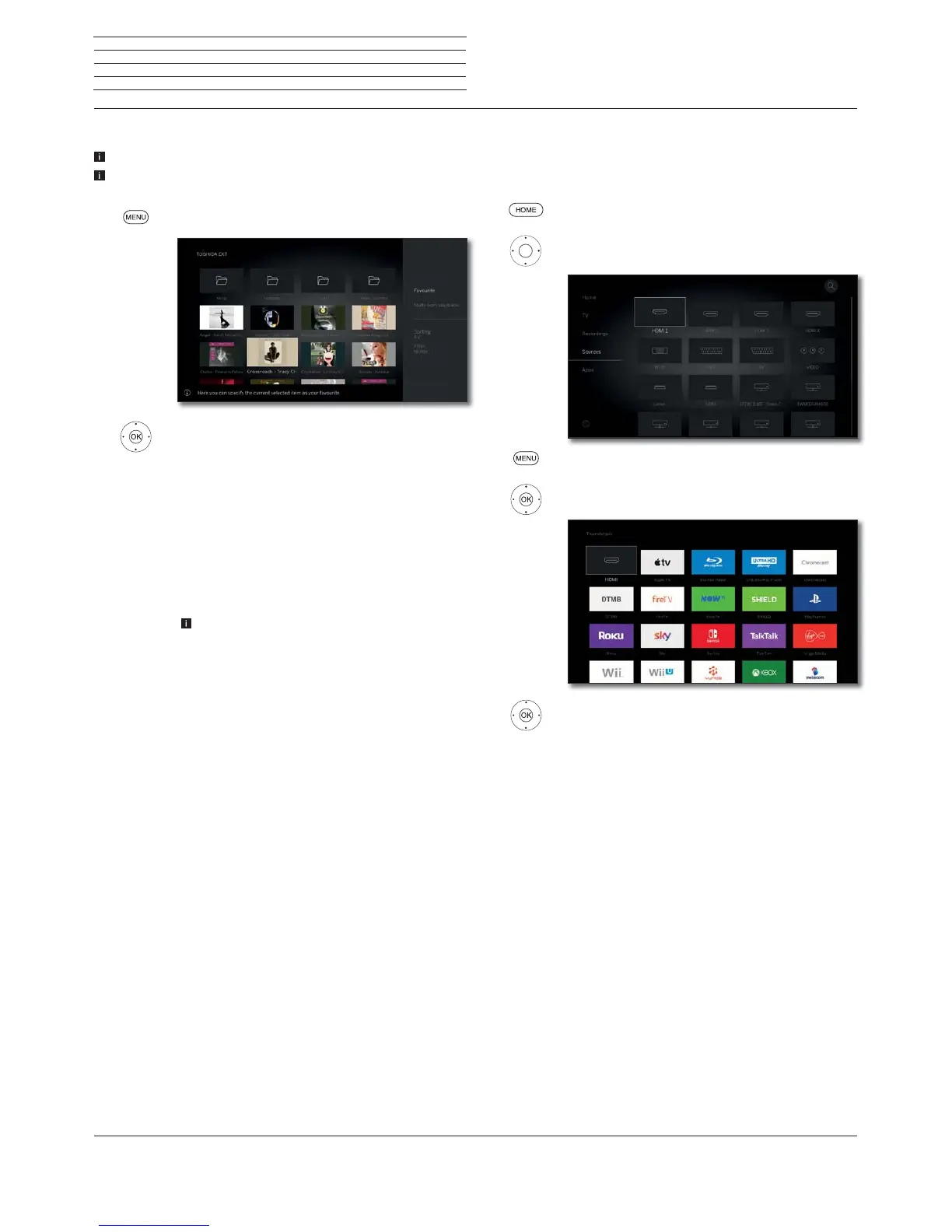
Exchange thumbnail of the HDMI input
A separate thumbnail can be defined for each HDMI input in the source
selection. A selection of different thumbnails (for instance, Blu-Ray
players, game consoles and set top boxes) are available.
HOME: Calling the Home view.
Call Sources,
Select HDMI entry.
MENU: Call menu options.
Select Change thumbnail,
OK call.
Select desired thumbnail,
OK Confirm selection.



 To Next Page