
 Need help?
Do you have a question about the LogiLink QP0016B and is the answer not in the manual?
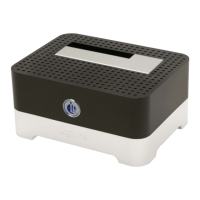
Details the front panel components of the docking station, including the power and access LED.
Identifies the DC Jack, USB Port to PC Host, and Power On/Off Switch on the back panel.
Illustrates the process for installing both 2.5" and 3.5" HDDs into the docking station.
 General
| Brand | LogiLink |
|---|---|
| Model | QP0016B |
| Category | Docking Station |
| Video Output | HDMI, VGA |
| Ethernet | Gigabit Ethernet |
| Compatibility | Windows, macOS |
| Power Supply | External power supply included |
| Audio | 3.5mm Audio Jack |
| Card Reader | SD/TF Card Reader |

 To Next Page