Tips for in-play sensitivity switching
• Try the default settings in practice games
before changing these settings.
• Practice using the in-game dpi increase/decrease
mouse buttons before engaging in serious combat.
• In first-person games, you may want to program
the G400 mouse to use only two tracking
sensitivities instead of three or more. Use a smaller
dpi tracking sensitivity (for example, 400 dpi) for
slower movements, like sniping, and a higher setting
(for example, 3600 dpi) for quicker movements.
• Customize each game according to your specific
sensitivity switching needs. The Logitech Gaming
Software stores this information and applies it
automatically when the game is detected.
Gaming-grade specifications
• Maximum tracking resolution: 3600 dpi
(default: 800 dpi)
• Image processing: 5.8 megapixels/second
• Maximum acceleration: 25 G
1
• Maximum speed: up to 70–140 inches/second
1
• USB report rate: up to 1000/second
(default setting)
2
• Data format: 16 bits/axis
• Total weight: 133 grams
• 15-gram ultra-light, flexible cord
• Static coefficient of friction: 0.14
3
• Dynamic coefficient of friction: 0.09
3
1
The listed specification was measured on popular cloth
and plastic gaming mousepads. This specification may vary
depending on surface.
2
Faster report rates may cause greater CPU usage on
some machines. Use the Logitech Gaming Software to
specify a lower report rate, such as 500 reports per second,
if you experience unacceptable CPU usage at 1000 reports
per second.
3
The listed specification was measured on a wood-
veneer desktop. This specification may vary depending on
surface.
Help with setup
• Check the mouse USB cable connection.
Try the mouse USB cable in another USB port
on the computer. Make sure to use a powered
USB port.
• Try rebooting the computer.
• If possible, test the mouse on another computer.
• Visit www.logitech.com/support for more
information.
Note: To get the most out of your product, download and install
the Logitech Gaming Software. The G400 mouse (3600 DPI version)
does not work with the Logitech SetPoint® software.
English 7
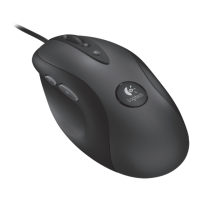
Logitech® Optical Gaming Mouse G400


 To Next Page
 Loading...