31
4
Installation Guide •
Guide d’Installation
•
Guía de instalación
2
In The Box
Dans la boîte
En la caja
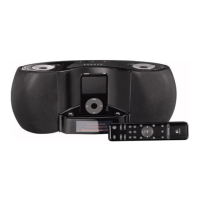
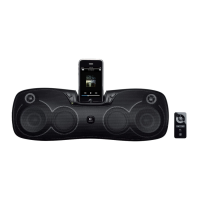
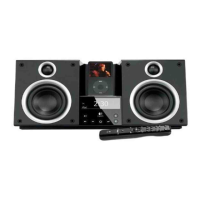
1. AudioStation Express
™
speaker system
2. International voltage AC adapter
(100-240V)
3. Wireless remote
4. Protective case
5. Universal Dock adapters
1. Système de haut-parleurs AudioStation
Express
™
2. Adaptateur CA à tension internationale
(100 à 240 V)
3. Télécommande sans fil
4. Boîtier protecteur
5. Adaptateurs universels pour station
d’accueil
1. Sistema de bocinas AudioStation Express
™
2. Adaptador de CA de voltaje internacional
(100 – 240 V)
3. Control remoto inalámbrico
4. Estuche protector
5. Adaptadores para base universal
Attach a Universal Dock adapter
1. Select the Universal Dock adapter for your iPod. Use the chart below to choose the correct
adapter. If your iPod is not listed, an adapter should have been included with your iPod.
Fixez un adaptateur universel de station d’accueil
1. Choisissez l’adaptateur universel de station d’accueil convenant à votre iPod. Utilisez le tableau
ci-dessous pour choisir l’adaptateur approprié. Si votre iPod n’apparaît pas dans la liste, un
adaptateur devrait être compris avec celui-ci.
Colocación de un adaptador para base universal
1. Seleccione un adaptador para base universal para iPod. Consulte la tabla siguiente para elegir el
adaptador correcto. Si su modelo de iPod no aparece en la tabla, se debe a que ya incluía el
adaptador correspondiente.
2. Plug the Universal Dock adapter into your AudioStation Express
™
.
3. Plug your iPod into the Universal Dock.
2. Branchez l’adaptateur universel pour station d’accueil dans votre
AudioStation Express
™
.
3. Branchez votre iPod dans la station d’accueil universelle.
2. Conecte el adaptador para base universal a AudioStation Express
™
.
3. Conecte el iPod a la base universal.
iPod mini iPod (4th Gen.) iPod with color display iPod nano iPod with video
40GB
5
40GB, 60GB
7
60GB
10
4GB, 6GB
3
20GB, U2
4
20GB, 30GB, U2
6
1GB, 2GB, 4GB
8
30GB
9
Universal Dock adapters are Identified by Number
Les adaptateurs universels pour les stations d’accueil sont identifiés par des numéros
Los adaptadores para base universal se identifican mediante un número
2
3
Choose your Power Source
1. For AC operation, plug the AC adapter into your AudioStation Express
™
and into the wall.
2. For battery operation, insert 6 AA batteries (not included).
Sélectionnez votre source d’alimentation
1. Pour une alimentation à courant alternatif, branchez l’adaptateur CA à votre AudioStation
Express
™
, puis dans la prise murale.
2. Pour une alimentation par piles, insérez 6 piles AA (non comprises).
Elija la fuente de alimentación
1. CA: conecte el adaptador de CA al sistema AudioStation Express
™
y a la toma de pared.
2. Pilas: introduzca 6 pilas AA (no incluidas).
2
1
Enjoy your Music!
1. Turn your AudioStation Express
™
on by pressing the volume knob.
2. Press Play on your iPod.
3. Rotate the volume knob to adjust the volume level.
Note: You can also use the included wireless remote to turn your AudioStation Express
™
on and
off, adjust the volume, and select tracks.
Profitez de votre musique!
1. Mettez en marche votre AudioStation Express
™
en appuyant sur le bouton du volume.
2. Appuyez sur le bouton Lecture de votre iPod.
3. Faites pivoter le bouton du volume pour ajuster le niveau sonore.
Remarque: vous pouvez également mettre en marche et éteindre votre AudioStation Express
™
,
ajuster le niveau sonore et sélectionner les plages à l’aide de la télécommande sans fil incluse.
¡Disfrute de la música!
1. Encienda AudioStation Express
™
pulsando el mando de volumen.
2. Pulse el botón de reproducción del iPod.
3. Para ajustar el volumen, gire el mando.
Nota: también puede utilizar el control remoto incluido para encender y apagar AudioStation
Express
™
, ajustar el volumen y seleccionar pistas.
1 2
Volume
3
1
2
4
5
X 8
+
+
+ +
+
DIE LINES
PMS 185 c
SPOT COLORS
PROCESS COLORS
DIE LINE COLOR (NO PRINT)
COLOR SPECIFICATIONS
THIS PRINT SIZE / SCALE:
100% of original
Designer: TProvitola/ TW/ AS/ EW
Location: Vancouver, WA
SPECIFICATIONS / NOTES:
RC: Text edits and remove ®s from
iPod text.
MODIFICATION DATE: July 14, 2006
BRAND / LAUNCH : Logitech 2006’
PROJECT TITLE: AudioStation
TM
Express
DETAILS: AMR / QSG FRONT
K 5 25 50 75 95


 To Next Page
 Need help?
 General