This document describes the Logitech Circle View Wired Doorbell, a smart doorbell designed for home security and convenience.
Function Description:
The Logitech Circle View Wired Doorbell is a smart home device that provides video and audio monitoring at your doorstep. It integrates with Apple HomeKit, allowing users to view live video, receive notifications, and interact with visitors through their iOS devices. The doorbell is designed for permanent installation and requires a wired connection to the home's electrical system. It captures video and audio, enabling users to see and speak to whoever is at their door, even when they are away from home. The device is intended to enhance home security by providing a clear view of the entrance and recording events.
Important Technical Specifications:
- Power Supply: The doorbell requires a listed/certified power supply, rated 5.0 V DC, 2.0 A minimum.
- Operating Temperature: The maximum ambient temperature (Tma) is 40 degrees Celsius.
- Altitude: It is designed to operate at altitudes up to 2000 meters.
- Connectivity: The device supports Apple HomeKit for integration with iOS devices.
- Radiation Exposure: Complies with FCC and IC radiation exposure limits, with a minimum distance of 20cm between the radiator and the user's body.
- Safety Certifications: The product is intended to be supplied by a Listed/Certified power supply and meets various regulatory standards for safety and electromagnetic compatibility (EMC, RF).
Usage Features:
- Installation: The installation process requires competency with power tools and comfort with electric power. Users can choose to install it themselves by following the instructions on logi.com/circleviewdoorbell/setup, which provides a complete tool list and installation guide. Alternatively, users can hire a professional installer by visiting logi.com/circleviewdoorbell/hirepro for availability, pricing, and booking appointments.
- Apple HomeKit Integration: The doorbell is designed to pair with iOS devices via Apple HomeKit. Users must follow the instructions in the web setup guide to complete the pairing process. Further information can be found at apple.com/iOS/home.
- Video and Audio Monitoring: The device allows for viewing and recording of images and/or audio. Users should be aware of and comply with local and national laws regarding surveillance, discreet recording, and publication of video/audio.
- Hardware Reset: The device can be reset using two methods:
- House Power Reset: This involves disconnecting and reconnecting the doorbell from the house power supply. The process typically involves removing the doorbell from its mounting, disconnecting the wires, waiting, and then reattaching and reconnecting. The device will indicate a successful reset with a specific light pattern (three red flashes) and will be ready after 9 seconds or more.
- USB Power Reset: This involves disconnecting the doorbell from house power and connecting it to a 5V 2A USB power source. Similar to the house power reset, the device will display a specific light pattern (three red flashes) and be ready after 9 seconds or more.
- Safety Guidelines:
- The product is not suitable for children under 36 months due to small parts, posing a choking hazard.
- Users should not open or modify the product.
- Do not disassemble or attempt to service the product yourself.
- If the product is operating improperly, contact Logitech support.
- The product must be returned to the manufacturer for any service or repair.
- Plug the equipment into an outlet that complies with national/local electrical wiring rules.
- For pluggable equipment, the socket-outlet should be installed near the equipment and be easily accessible.
- Use the product with listed/certified ITE computers and accessories.
- Connect power supply or power cord to a properly wired and grounded electrical outlet.
- This is not a children's product and is not intended for use by children under 14 years old.
- Mount the camera properly. Improperly mounted cameras may fall and cause injury.
- Perchlorate Material: The product may contain perchlorate material, which requires special handling. More information can be found at http://www.dtsc.ca.gov/hazardouswaste/perchlorate/.
- Regulatory Compliance: The device complies with various regulatory requirements for Restriction of Hazardous Substances (RoHS) and management of WEEE (Waste Electrical and Electronic Equipment) in the EU, Turkey, Ukraine, United Arab Emirates, India, China, and Taiwan. Further information on compliance is available at www.logitech.com/compliance.
Maintenance Features:
- Cleaning: The manual does not explicitly detail cleaning instructions, but general electronic device maintenance practices should be followed, such as keeping the device free from dust and debris.
- Troubleshooting: In case of product malfunction, users are advised to contact Logitech technical support.
- Warranty: Logitech provides a limited hardware product warranty, ensuring the product is free from defects in materials and workmanship for a specified period from the original retail purchase date. For detailed warranty information and procedures for claims, users should visit support.logitech.com. Logitech's liability for a breach of warranty is limited to repair, replacement, or refund of the product.
- Environmental Responsibility: The product should not be disposed of with household waste. It contains materials that can be recycled and should be taken to an appropriate collection point for recycling. Users are encouraged to contact local authorities or places of purchase for information on recycling.

 Need help?
 General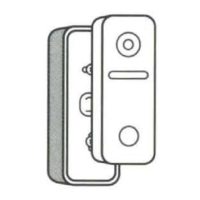

 To Next Page