G920 Driving Force Racing Wheel FAQs 29
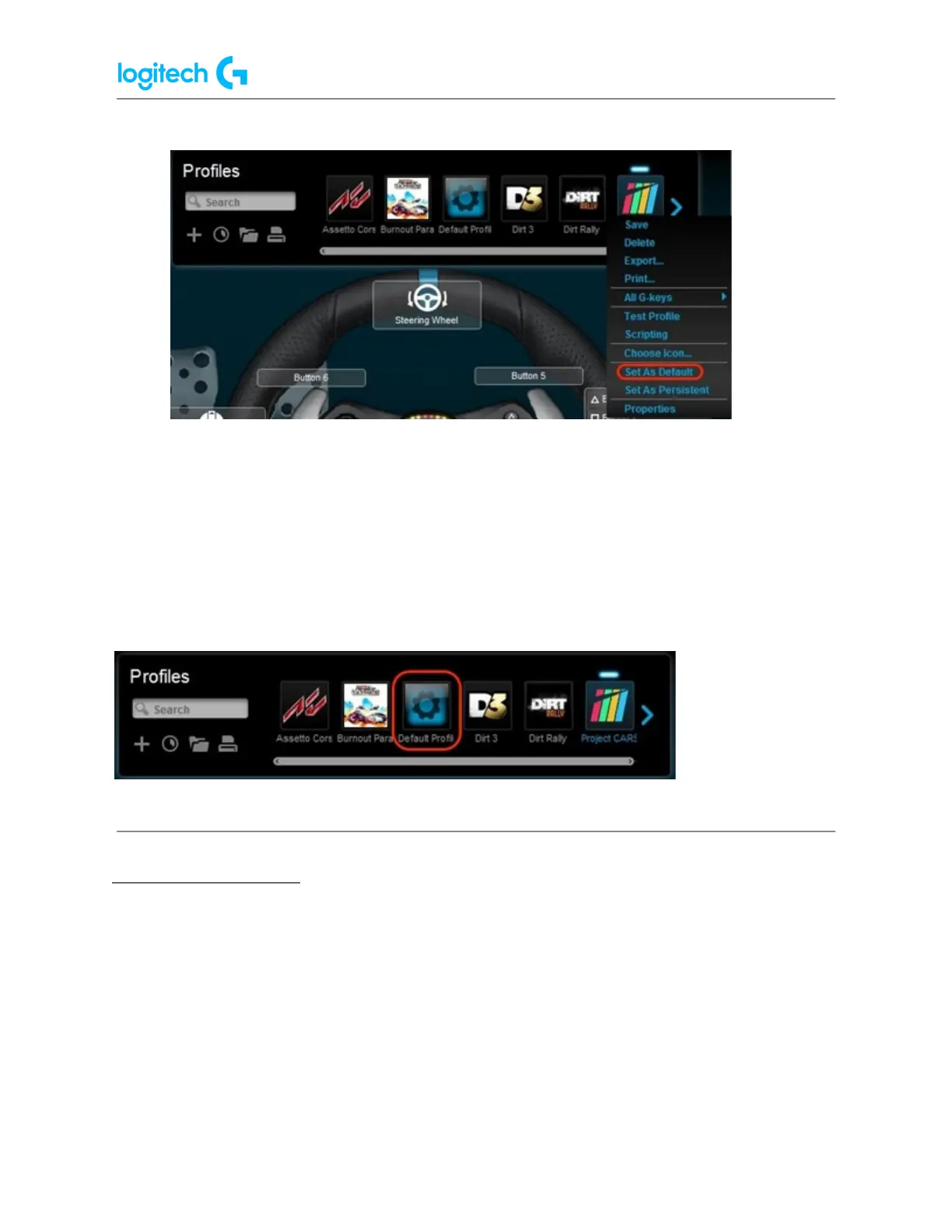
The profile will now be set as the default. If you right-click on profile again from the list, there
should be a check mark next to Set As Default in the pop-up menu that appears. This will be
the active profile when no other profiles are running.
NOTE: To return to the pre-installed Default profile, follow all of the above steps, making sure
to select Default Profile in step #4.
Set a Persistent profile
A Persistent profile is one you manually select to be used for all applications. It will override
any application-specific profile assignments. You can use this to troubleshoot poor
profile-performance or to simplify the configuration of your racing wheel. To set a profile as
Persistent:
1. From the Profiles area at the top-right corner of the LGS window, navigate to the
profile you wish to set as persistent.















 To Next Page