Need help?
Do you have a question about the Logitech M280 and is the answer not in the manual?
Instructions for turning on the mouse and computer.
Guide for correctly inserting the battery into the mouse.
Instructions for plugging the USB receiver into the computer.
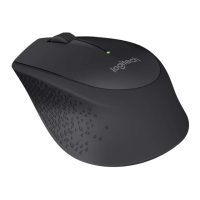
Details on mouse buttons, scroll wheel, and their functionalities.
Information on battery indicators, power switch, and battery compartment access.
How the mouse enters and exits sleep modes to conserve power.
Solutions for common issues, such as the mouse not functioning.
Instructions for turning on the mouse and computer.
Guide for correctly inserting the battery into the mouse.
Instructions for plugging the USB receiver into the computer.
Details on mouse buttons, scroll wheel, and their functionalities.
Information on battery indicators, power switch, and battery compartment access.
How the mouse enters and exits sleep modes to conserve power.
Solutions for common issues, such as the mouse not functioning.

 To Next Page


 General