Need help?
Do you have a question about the Logitech SIGNATURE MK650 COMBO FOR BUSINESS and is the answer not in the manual?
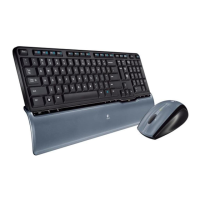
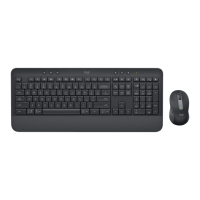
Identifies the main parts and features of the keyboard.
Identifies the main parts and features of the mouse.
Details initial steps for connecting via Logi Bolt receiver.
Details initial steps for connecting via Bluetooth Low Energy.
Instructions for storing the Logi Bolt receiver inside the keyboard.
Instructions for storing the Logi Bolt receiver inside the mouse.
Details the functions of the F-row keys for different operating systems.
Explains the functions of media control and other hot keys.
Describes the differences in keyboard layouts for Windows and macOS.
Explains the specific ChromeOS keyboard layout and function keys.
When battery is between 6% and 100%, the LED stays green.
When battery is below 6%, the LED turns red.
Identifies the main parts and features of the keyboard.
Identifies the main parts and features of the mouse.
Details initial steps for connecting via Logi Bolt receiver.
Details initial steps for connecting via Bluetooth Low Energy.
Instructions for storing the Logi Bolt receiver inside the keyboard.
Instructions for storing the Logi Bolt receiver inside the mouse.
Details the functions of the F-row keys for different operating systems.
Explains the functions of media control and other hot keys.
Describes the differences in keyboard layouts for Windows and macOS.
Explains the specific ChromeOS keyboard layout and function keys.
When battery is between 6% and 100%, the LED stays green.
When battery is below 6%, the LED turns red.
 General
| Brand | Logitech |
|---|---|
| Model | SIGNATURE MK650 COMBO FOR BUSINESS |
| Category | Computer Accessories |
| Language | English |

 To Next Page