English
User guide
7
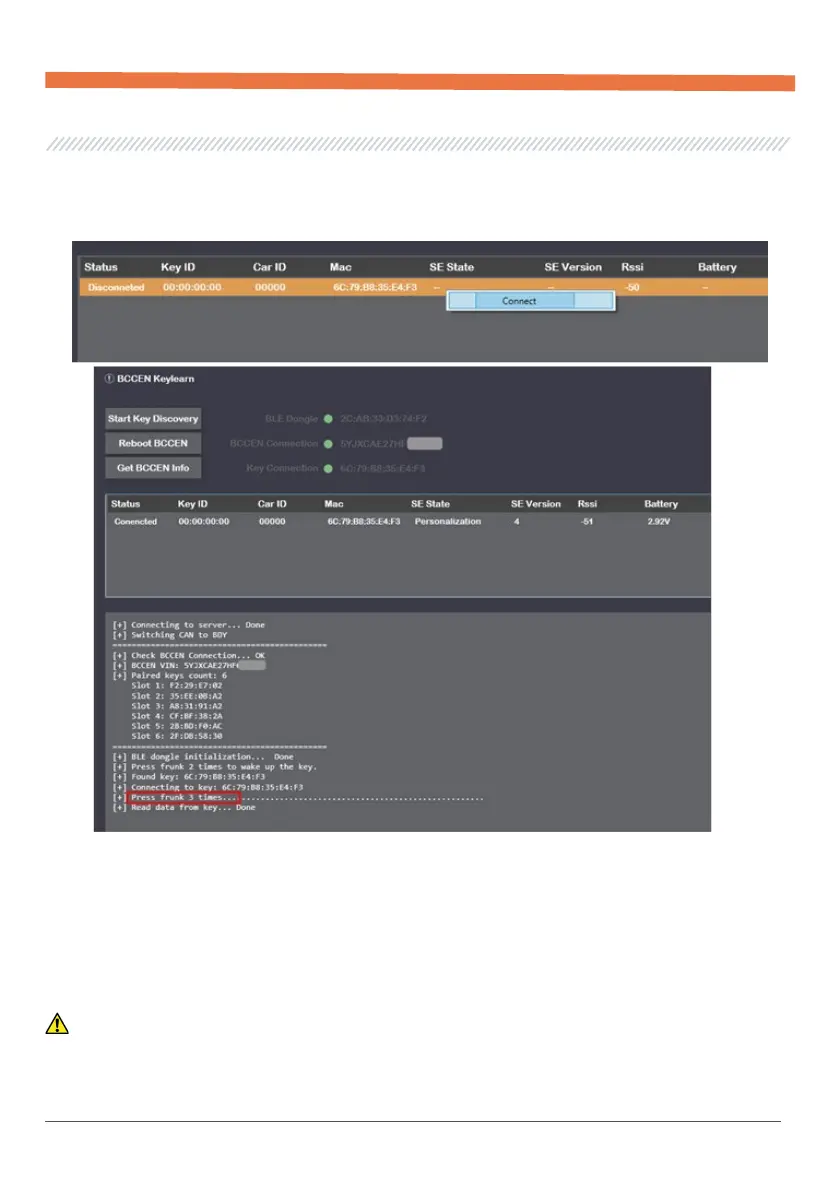
After the key is discovered, you need to connect to it, just click on the "Connect" of the desired
key in the table. As soon as the corresponding inscription appears in the log - press three times
on the front trunk button to confirm the connection.
After reading the data from the key, it is considered connected.
The status of the key can be seen in the SE State field where:
– Personalization - Clean Key, ready for Provision procedure;
– Active - A key that has passed the Provision procedure, is waiting to execute the Pairing
procedure;
– Paired - Paired key after Pairing procedure.
WARNING! The key transition from the Personalization state to all subsequent states is
irreversible.


 To Next Page