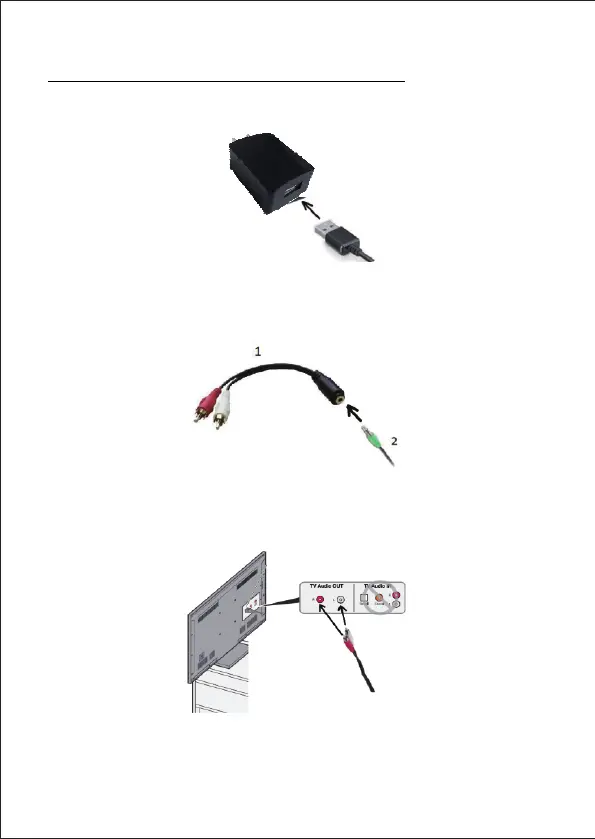
Use with a TV equipped with RCA outputs
1、 Insert the USB plug into the mains adapter supplied.
2、 Insert the green audio input plug (2) into the RCA adapter supplied(1).
3、 Insert the red and white plugs of the RCA adapter into the
"Audio OUT" TV sockets, matching colour to colour.
4、 Turn the central wheel on the sound bar to the right to switch on the
device and adjust the volume.


 To Next Page