EasyManua.ls Logo

LPL 7452 - Page 12

LPL 7452
16 pages
Print Icon
To Next Page IconTo Next Page
To Previous Page IconTo Previous Page
Loading...
E
RATION
CDF
—©G
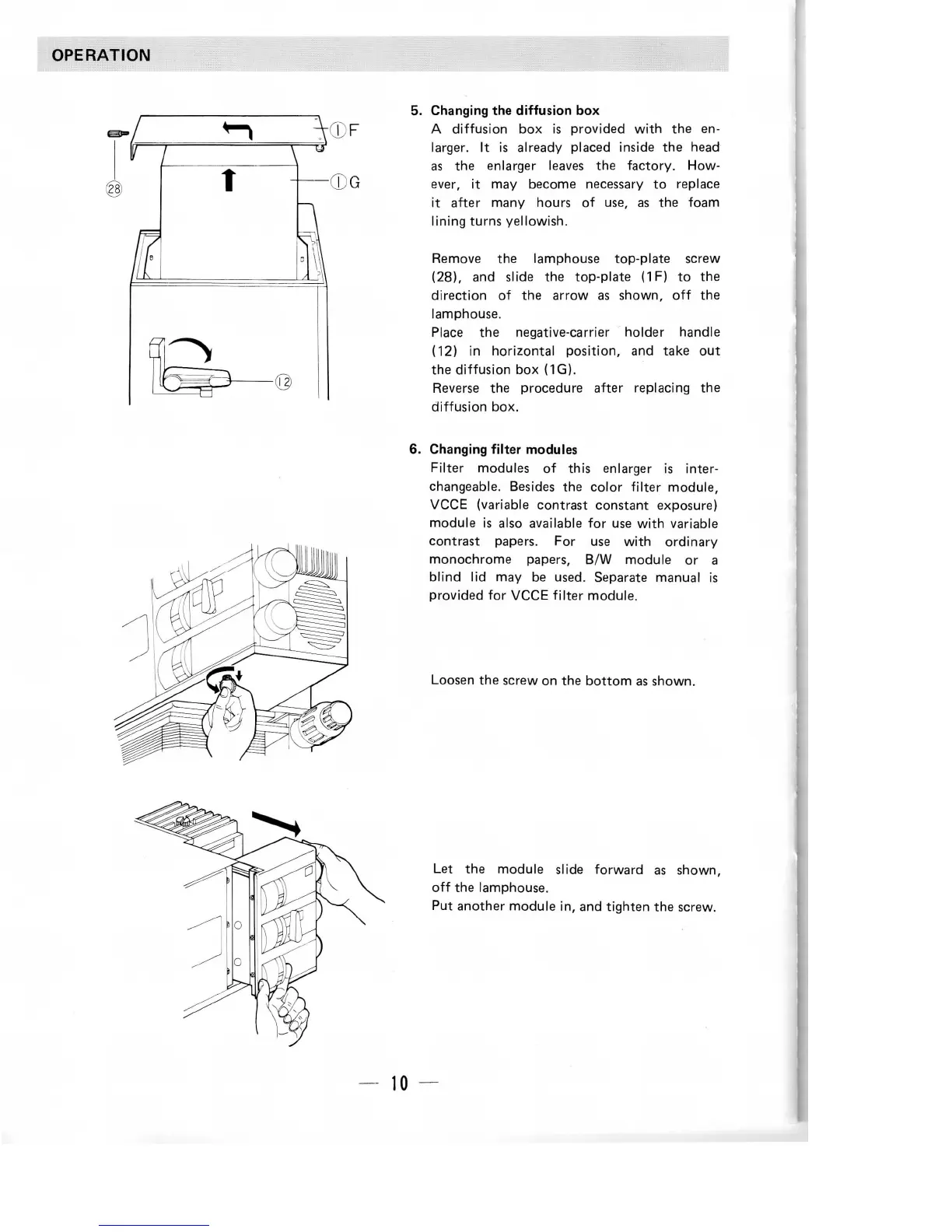
5.
Changing
the
diffusion
box
A
diffusion
box is
provided
with
the en-
larger.
It is
already placed inside
the
head
as
the
enlarger
leaves
the
factory. How-
ever,
it may
become
necessary
to
replace
it
after many hours
of
use,
as the
foam
lining turns yellowish.
Remove
the
lamphouse top-plate
screw
(28),
and
slide
the
top-plate (1F)
to the
direction
of the
arrow
as
shown,
off the
lamphouse.
Place
the
negative-carrier holder handle
(12)
in
horizontal
position,
and
take
out
the
diffusion
box
(1G).
Reverse
the
procedure after
replacing
the
diffusion box.
6.
Changing filter
modules
Filter
modules
of
this
enlarger
is
inter-
changeable.
Besides
the
color
filter
module,
VCCE
(variable
contrast constant
exposure)
module
is
also
available
for use
with
variable
contrast papers.
For use
with
ordinary
monochrome
papers,
B/W
module
or a
blind
lid may be
used.
Separate
manual
is
provided
for
VCCE filter module.
Loosen
the
screw
on the
bottom
as
shown.
Let the
module
slide
forward
as
shown,
off the
lamphouse.
Put
another module
in, and
tighten
the
screw.
10