Chapter 4. System Configuration
4-3
4.2 Backlight Setting
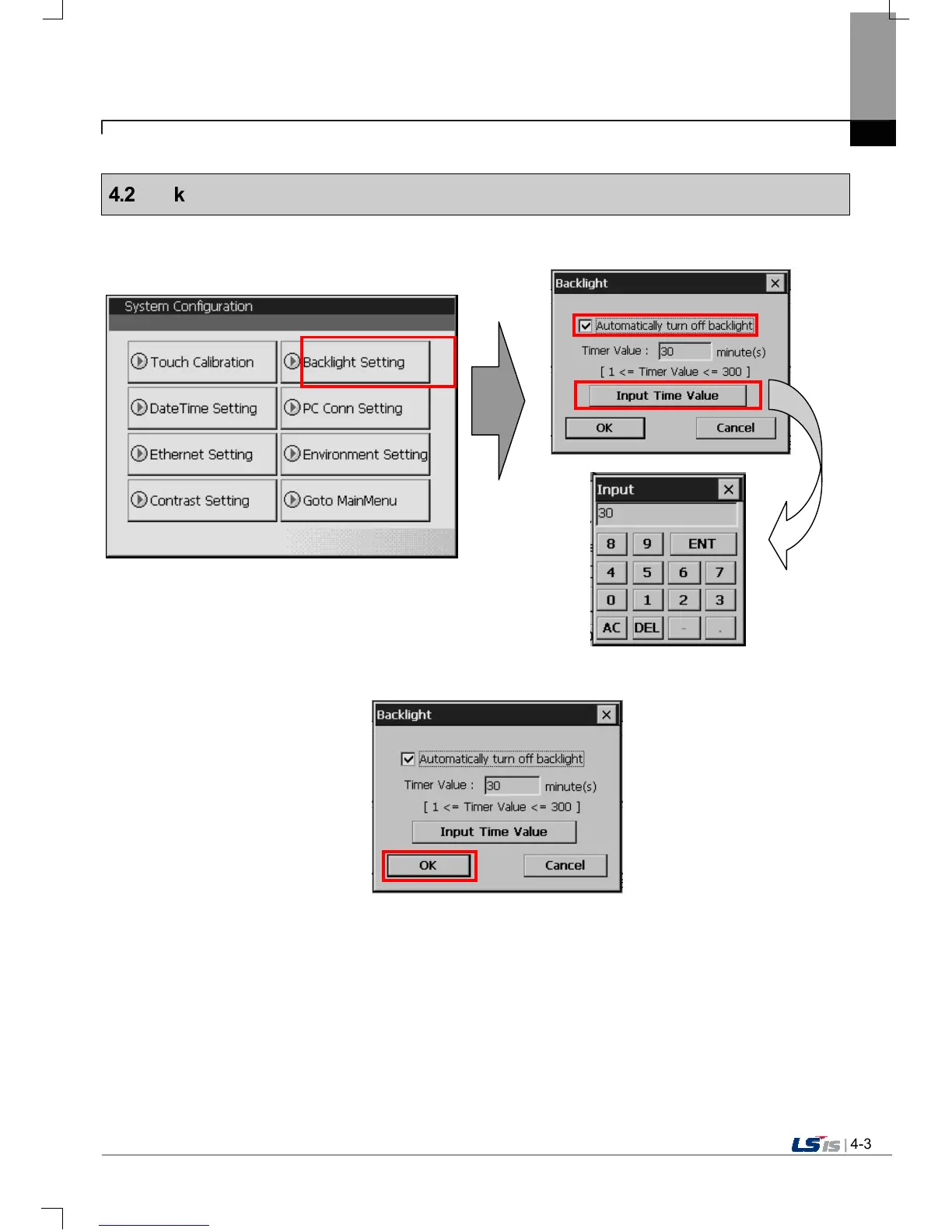
If you press [Backlight Setting] button in [System Configuration] screen as follows, setting screen shows up.
Against no use for long time through XGT Panel, you can set ‘Automatically turn off backlight’ function.
Set whether you use backlight automation On/Off function or not and time, then press OK button as follows.
As above, if you input 30, the backlight automatically turns off after 30 minute later. In off status, if you touch the panel, the backlight
turns on.


 To Next Page