EasyManua.ls Logo

Lucci LEDlux 280210 - User Manual

Lucci LEDlux 280210
3 pages
Print Icon
To Next Page IconTo Next Page
Loading...
Installation Instructions
1 | P a g e v 1 . 0 ( 0 7 / 2 0 2 1 )
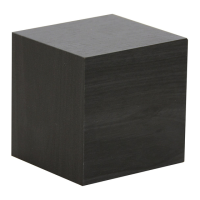
CUBIS ALARM CLOCK
SKU# 280210, 280211, 280212
Rated Voltage 3 x 1.5V AAA battery OR 5V 1A DC
Thank you for purchasing this quality Lucci product. To ensure correct function and safety, please read and follow all
instructions carefully before assembly, installation and use of this product. Please keep the instructions for future reference.
Warranty
This product is covered by a 12-month warranty from the date of purchase. Please retain proof of purchase.
Warranty will be void if there is any damage due to improper usage or modification to the product.
Failure to comply with the instructions in this manual may increase the risk of damage or injury and will void warranty.
Installation Requirements
Powered by 4.5V DC (3 x 1.5 AAA batteries not included) OR 5V DC 1A (USB cable included)
NOTE: A CR2032 Button battery is contained ONLY for memorizing the clock/settings. No
replacement is required for this battery if the product is regularly powered by AAA batteries and/or
USB input. Refer to the section about the safety information of button batteries.
Select a suitable location for this product:
- This product is not waterproof.
- This product is suitable for indoor use only.
- Keep away from liquids, dusty, humid, direct sun light, cooking areas or hot areas.
Lay out all the components on a smooth surface and make sure there are no components missing.
If parts are missing, return the product to the place of purchase for inspection or replacement.
Check whether the product has been damaged during transport. Do not operate/install any product which appears
damaged in any way. Return the complete product to the place of purchase for inspection, repair or replacement.
Operation Directions
Battery installation/Replacement
1. Open the lid of the battery compartment on the back of the product.
2. Install 3 x AAA batteries into the battery compartment. Ensure the batteries are inserted with the correct polarity.
3. Install the lid back over the battery compartment and ensure it is secure.
4. Alternative, the product can be powered by the provided USB cable.
NOTE: Please ensure an appropriate power adaptor / device is used according to the rated input (5V DC, 1A) of this
product.
Settings & Operation
A. Time and Calendar, and Temperature setting
Long press the SET key to enter the setting mode. Use the UP/DOWN key to adjust the time, date, and 12/24 hours
mode. It will exit the setting mode automatically if no key is pressed.
Press the UP key to set the Celsius and Fahrenheit unit of the temperature.
B. Alarm setting
Long press the SET key to enter the setting mode. Press the SET key again until the --A1 is displayed. Press the UP key
to turn on the alarm A1. Use the UP/DOWN key to set the time for the alarm. Applied the same steps if --A2 & --A3 alarm
are required.
C. Display mode setting
Short press the SET key to set the three different display mode dP-1, dP-2, dP-3:
- dP-1 mode: The LED display will show the time, date and room temperature rotationally.
- dP-2 mode: The LED display will show the time only.

Question and Answer IconNeed help?

Do you have a question about the Lucci LEDlux 280210 and is the answer not in the manual?

Overview

The Lucci LEDlux Cubis Alarm Clock (SKU# 280210, 280211, 280212) is a versatile and compact alarm clock designed for indoor use. It offers multiple power options, display modes, and alarm functionalities, making it a practical addition to any home or office.

Function Description:

The Cubis Alarm Clock primarily functions as a digital clock with alarm capabilities. It displays time, date, and room temperature, and allows users to set up to three independent alarms. A key feature is its power-saving mode, which can turn off the LED display after 30 seconds and reactivate it with external sound/voice over 60dB or by tapping the wooden surface. Alternatively, the display can be set to always remain on. The clock also includes a brightness adjustment feature, allowing users to select from four levels (L3, L2, L1, L0) to suit their preference.

Important Technical Specifications:

  • SKU Numbers: 280210 (Black), 280211 (White), 280212 (Teak)
  • Rated Voltage / Battery:
    • Primary Power: 4.5V DC (3 x 1.5 AAA batteries, not included) OR 5V DC 1A (USB cable, included).
    • Memory Function: CR2032 button battery (included) for memorizing clock/settings. This battery does not require replacement if the product is regularly powered by AAA batteries and/or USB input.
  • Weight: 0.1kg
  • Dimensions: H: 64mm, L: 64mm, W: 61mm
  • Environmental Conditions: Not waterproof, suitable for indoor use only. Must be kept away from liquids, dusty, humid, direct sunlight, cooking areas, and hot areas.

Usage Features:

  • Power Options: Can be powered by three AAA batteries for portability or via a USB cable for continuous power. An appropriate power adapter/device (5V DC, 1A) is required when using the USB cable.
  • Battery Installation: The battery compartment is located on the back of the product. Users need to open the lid, insert three AAA batteries with correct polarity, and then secure the lid.
  • Time and Calendar Setting: Long press the SET key to enter setting mode. Use the UP/DOWN keys to adjust time, date, and 12/24-hour mode. The setting mode automatically exits if no key is pressed for a period.
  • Temperature Unit Setting: Press the UP key to switch between Celsius and Fahrenheit for temperature display.
  • Alarm Setting: Long press the SET key, then press SET again until "--A1" is displayed. Press UP to activate alarm A1, then use UP/DOWN to set the alarm time. The same steps apply for setting alarms A2 and A3.
  • Display Modes: Short press the SET key to cycle through three display modes:
    • dP-1: Rotational display of time, date, and room temperature.
    • dP-2: Displays time only.
    • dP-3: (Not explicitly described in the provided text, but implied as the third mode).
  • Power Saving Mode (oNSd): Press the DOWN key to activate. The LED display turns off after 30 seconds and can be reactivated by external sound/voice (>60dB) or by tapping the wooden surface.
  • Always On Display Mode (--Sd): Press the DOWN key to activate. The LED display remains continuously on.
  • Brightness Adjustment: Long press the UP key until "L3" is displayed. Press the DOWN key to reduce brightness (L2, L1, L0) or the UP key to increase it.

Maintenance Features:

  • Cleaning: Wipe with a soft dry cloth or duster. Do NOT soak or immerse the product in water or other liquids.
  • Battery Safety:
    • Regularly check that the battery box lid is securely fastened. If the lid is cracked or damaged, discontinue use and keep away from children.
    • Dispose of used batteries immediately and safely, ensuring they cannot be retrieved by children. Flat batteries can still be dangerous.
    • New and used batteries must be kept away from children.
    • Battery installation/replacement should only be performed by an adult, and the battery box lid must be tightened afterward.
    • Do not use rechargeable batteries in this product.
    • Ensure batteries are inserted with correct polarity.
    • For button batteries (CR2032), dispose of them immediately and safely after use.
  • General Care: Ensure the product does not come into contact with corrosive chemicals/solvents or abrasive cleaners.
  • Warranty: The product comes with a 12-month warranty from the date of purchase. Retain proof of purchase. The warranty is void if there is damage due to improper usage, modification, or failure to comply with manual instructions.
  • Damage Inspection: Before operation/installation, check for any transport damage. Do not use damaged products; return them to the place of purchase for inspection, repair, or replacement.
  • Missing Components: If any components are missing, return the product to the place of purchase for inspection or replacement.

Safety Warnings:

  • This product is NOT a toy and should be kept out of reach of small children. Young children must be supervised to prevent them from playing with the product.
  • Button Battery Hazard: Ingestion of a coin/button cell battery can cause severe internal burns in as little as 2 hours, potentially leading to death. If ingestion is suspected, immediately contact the Australian Poisons Information Centre on 13 11 26 for 24/7 expert advice.

Lucci LEDlux 280210 Specifications

General IconGeneral
BrandLucci LEDlux
Model280210
CategoryAlarm Clock
LanguageEnglish