
 Need help?
Do you have a question about the Luiton LT-898UV and is the answer not in the manual?
Provides essential safety guidelines for the radio's operation and handling.
Lists specific safety measures, including service, flammable environments, airbags, heat, antenna connection, and distance.
Lists standard items included in the transceiver package.
Lists optional accessories available for purchase separately.
Details the procedure for connecting the radio to a DC power supply.
Describes how to mount the radio using the provided adjustable bracket.
Guides on connecting external accessories like microphone and earphone.
Instructions on how to turn the radio on and off.
How to adjust the audio volume level of the radio.
Guide to selecting communication channels for operation.
Explains the process of sending and receiving signals using the PTT key.
Configures the automatic power-off feature to conserve battery.
Allows saving custom frequencies as memory channels for quick recall.
Prevents transmitting on an occupied channel.
Assigns shortcut functions to specific keys on the front panel.
Defines shortcut actions for the P1 key, both short and long presses.
Defines shortcut actions for the P2 key, both short and long presses.
Defines shortcut actions for the P3 key, both short and long presses.
Defines the shortcut action for the M key, typically menu access.
Allows selection between high and low transmit power levels.
Sets the frequency offset for repeater communication and the type of offset.
Enables monitoring of channels for activity.
Defines scan behavior: stops on signal, waits, then continues.
Starts or stops the scanning function with a key press.
Defines scan behavior: stops on signal, waits for signal to end, then continues.
Sets the scope of scanning: VFO frequencies or memory channels.
Scans all frequencies within the VFO band.
Scans only frequencies stored in memory channels.
Explains how to assign shortcut functions to keys via menu or software.
Switches between high and low transmit power levels.
Initiates an emergency transmission with visual and audio alerts.
Resets all radio functions and memory channels to factory defaults.
Resets only radio functions to factory defaults, excluding memory.
Guides users on seeking repair services from authorized centers when the radio malfunctions.
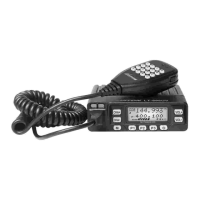
Identifies the specific model of the transceiver.
Specifies the transmission frequency range of the radio.
Specifies the reception frequency range of the radio.
States the radio's transmit power output levels.
 General
| Type | Handheld Transceiver |
|---|---|
| Power Output | 5W / 1W |
| Operating Voltage | 7.4V |
| Antenna Impedance | 50Ω |
| Waterproof | IP54 |
| Weight | 220g |
| Frequency Range | VHF: 136-174MHz, UHF: 400-480MHz |
| Channel Capacity | 128 Channels |

 To Next Page
