Need help?
Do you have a question about the Lumi thermoCT1 and is the answer not in the manual?
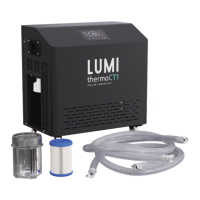
Lists all included items: chiller unit, filter, pipes, and accessories pack.
Steps for unpacking, including reading the manual, registering warranty, and initial assembly.
How to get help for setup or usage issues via the website for further information.
Crucial safety instructions for handling, power, water exposure, and unit operation to prevent accidents.
Step-by-step guide for initial setup and operation of the Thermo-CT1 chiller unit.
Instructions for connecting and using the Lumi Thermo-CT1 via the Tuya Smart mobile app.
Provides a guide on how long to stay in cold water based on specific temperatures.
Guidelines for cleaning, draining, and storing the unit to ensure long service life and hygiene.
Detailed explanation of the main control panel layout, indicators, and display elements.
Explains the specific functions of each button on the control panel for operating the unit and adjusting settings.
Describes the meaning of different WIFI icon displays and network connection states for troubleshooting.
Explains system working states, defrost status, operating modes, and temperature indicators like flame/snowflake icons.
Provides a table of error codes, their reasons, solutions, and machine status for effective troubleshooting.
Lists and describes the function of each pin on the unit's internal board for technical reference.
Step-by-step guide to download, install, and connect the Lumi Thermo-CT1 to the Tuya Smart mobile app.
Details on how to use the mobile app to control temperature, monitor flow rate, and manage unit settings.
Provides detailed technical specifications of the unit, including dimensions, power, cooling/heating capacity, and key features.

 To Next Page

 General