PAIRING HUB WITH EXISTING POWERVIEW® SHADE NETWORK
13
STEP 7 PAIRING YOUR HUB WITH
AN (EXISTING) POWERVIEW®
SHADE NETWORK
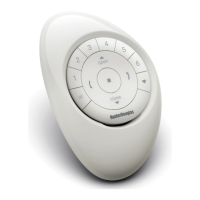
If you have already established a PowerView® Shade Network
between a PowerView® Remote and PowerView® shades, you
should pair the Hub to the same network. To pair the Hub to
the same network, open the PowerView® App and follow the
prompts. The Hub LED will turn to solid BLUE, once the Hub
has been paired to the PowerView® Shade Network.
TRANSFER YOUR HUB DATA (IF NEEDED):
If you have a Gen 1 Hub (bottom right) on your PowerView®
Shade Network, follow in-app instructions to transfer Hub data
to the new PowerView® Hub.
Gen 1 Hub
Gen 2 Hub


 To Next Page
 Loading...