ADDITIONAL ACTIONS
ADDITIONAL ACTIONS
Your PowerView® Network is now setup and ready to be further
adjusted to your preferences. Follow the steps in this chapter
or go to www.luxaflex.co.uk/powerview-installation for more
information.
OPERATE A SHADE
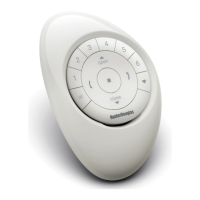
This instruction will make use of the OPEN, GROUP 1,
STOP, ALL and CLOSE buttons on your Remote.
1
PRESS GROUP 1
(Group 1 will light up).
2
PRESS
OPEN
(Shades assigned to group 1 will open).
3
PRESS STOP
(Shades assigned to group 1 will stop).
4
PRESS CLOSE
(Shades assigned to group 1 will close).
Open
Group 1
Stop
All
Close
Pressing ALL instead of GROUP 1 will move all shades
from all 6 groups on the Remote.
14


 To Next Page
 Loading...