ADDITIONAL ACTIONS
MOVE A SHADE TO A FAVOURITE
POSITION
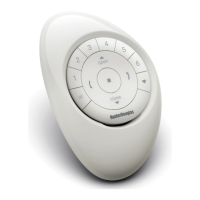
This instruction will make use of the GROUP 1, FAVOURITE
and ALL button on the Remote.
Move shades assigned to group 1 to their favourite
position.
1
PRESS GROUP 1
(Group 1 will light up).
2
PRESS
FAVOURITE
(Shades assigned to group 1 will move to their favourite
position).
Pressing ALL instead of GROUP 1 will move all shades from all
6 groups to their favourite position.
Group 1
Favourite
All
17


 To Next Page
 Loading...