4.1
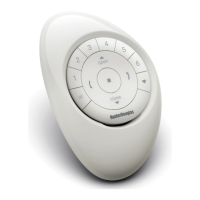
PRESS STOP FOR 6 SECONDS
(Keep pressing until the Remote lights start blinking).
4.2
PRESS GROUP 1
(This will activate the group 1 on the Remote).
4.3
PRESS AND HOLD THE SHADE BUTTON
4.4
PRESS THE
OPEN BUTTON
(You will see the shade move up and down shortly).
4.5
RELEASE THE SHADE BUTTON
4.6
IF YOUR REMOTE IS STILL FLASHING: PRESS STOP
FOR 6 SECONDS AND HOLD
(Keep pressing until the flashing stops).
ADDING A SHADE TO A REMOTE
8


 To Next Page
 Loading...