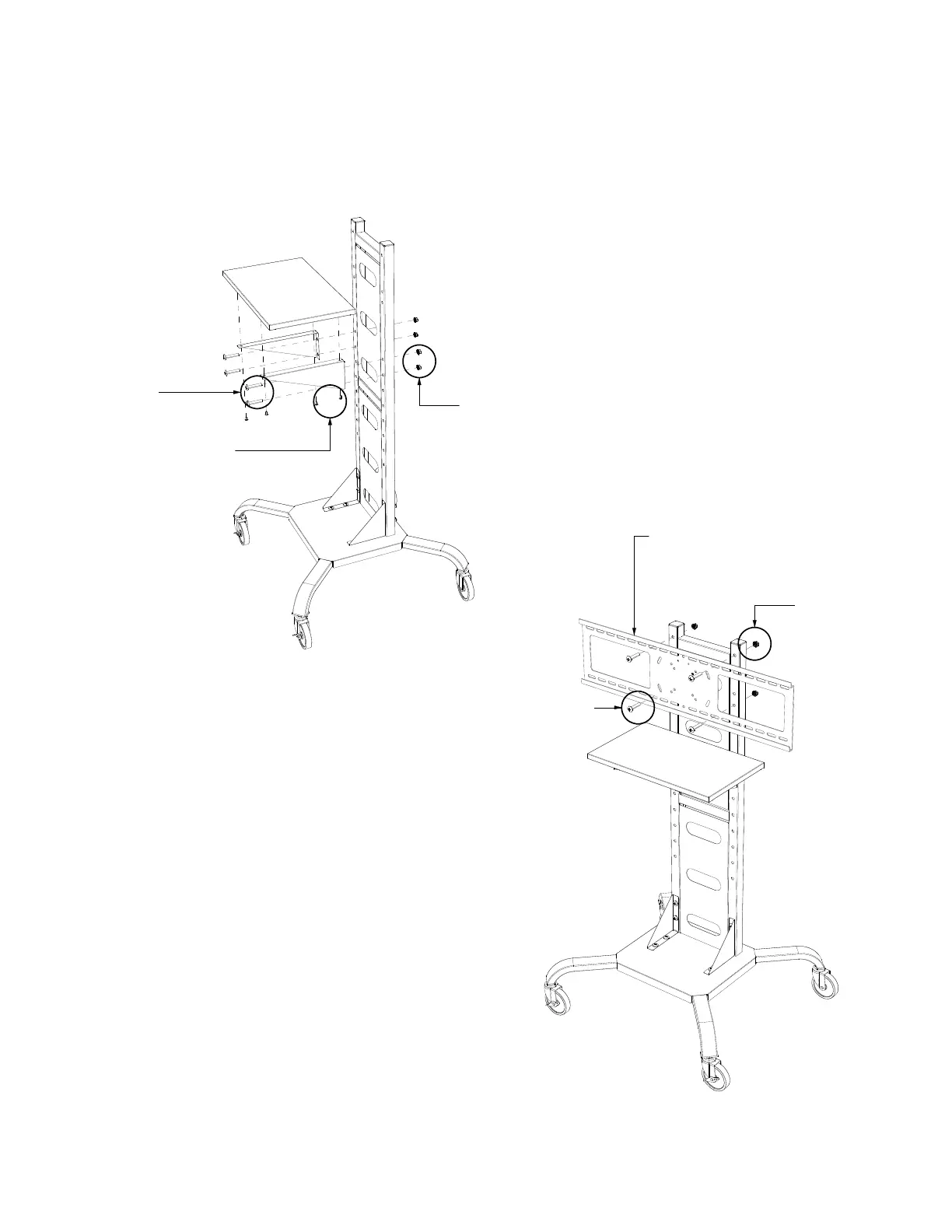
4 x 3/8 x 2" Bolts
4 x 3/8 Nuts
Attach the WFST BRACKET to the assembled unit with
4 x 3/8 x 2" bolts and 4 x 3/8 Nuts.
Follow the instructions included in the WFST
Bracket box to mount the TV.
5
WFST BRACKET
Attach the Shelf to the shelf brackets with
4 x Self Tapping Screws
Attach the Shelf Assembly to the Vertical
Support Member with 4 x 3/8 x 2" Bolts
and 4 x 3/8 Nuts.
4 x 3/8 Nuts
4
4 x 3/8 x 2" Bolts
4 x 1/2" Self Tapping Screw



 To Previous Page