EasyManua.ls Logo

Lyons NanoVNA - Page 17

Default Icon
51 pages
Print Icon
To Next Page IconTo Next Page
To Previous Page IconTo Previous Page
Loading...
08/09/2020 NanoVNA User Guide | NanoVNA User Guide
https://cho45.github.io/NanoVNA-manual/#7-
17/51
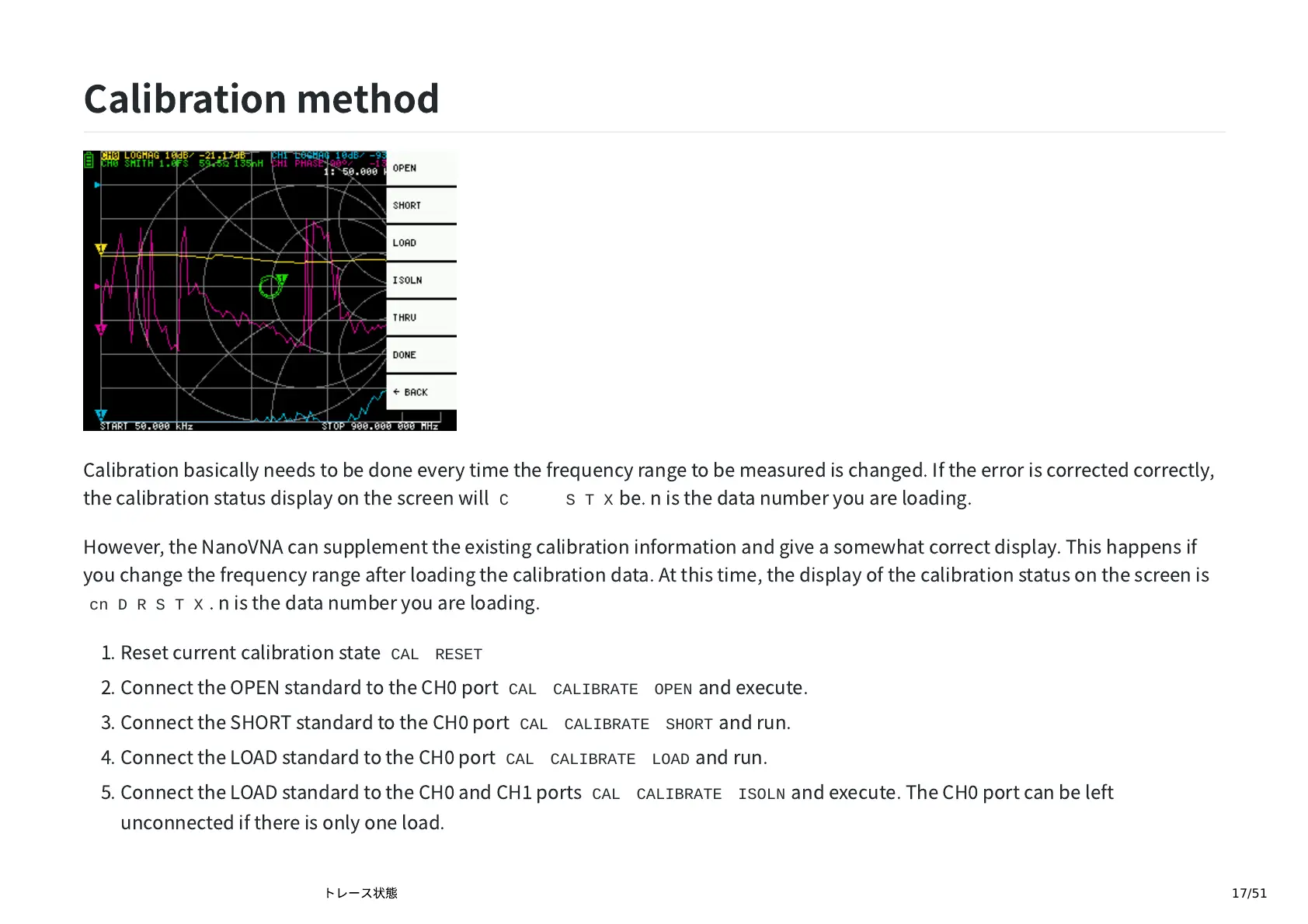
Calibration
method
Calibration
basically
needs
to
be
done
every
time
the
frequency
range
to
be
measured
is
changed.
If
the
error
is
corrected
correctly,
the
calibration
status
display
on
the
screen
will
Cn D R S T X
be.
n
is
the
data
number
you
are
loading.
However,
the
N
anoV
N
A
can
supplement
the
existing
calibration
information
and
give
a
somewhat
correct
display.
This
happens
if
you
change
the
frequency
range
after
loading
the
calibration
data.
At
this
time,
the
display
of
the
calibration
status
on
the
screen
is
cn D R S T X
.
n
is
the
data
number
you
are
loading.
1.
Reset
current
calibration
state
CAL
RESET
2.
Connect
the
OPE
N
standard
to
the
CH
port
CAL
CALIBRATE
OPEN
and
execute.
3.
Connect
the
SHORT
standard
to
the
CH
port
CAL
CALIBRATE
SHORT
and
run.
4.
Connect
the
LOAD
standard
to
the
CH
port
CAL
CALIBRATE
LOAD
and
run.
5.
Connect
the
LOAD
standard
to
the
CH
and
CH
ports
CAL
CALIBRATE
ISOLN
and
execute.
The
CH
port
can
be
left
unconnected
if
there
is
only
one
load.