EasyManua.ls Logo

Lyons NanoVNA - Page 38

Default Icon
51 pages
Print Icon
To Next Page IconTo Next Page
To Previous Page IconTo Previous Page
Loading...
08/09/2020 NanoVNA User Guide | NanoVNA User Guide
https://cho45.github.io/NanoVNA-manual/#7-
38/51
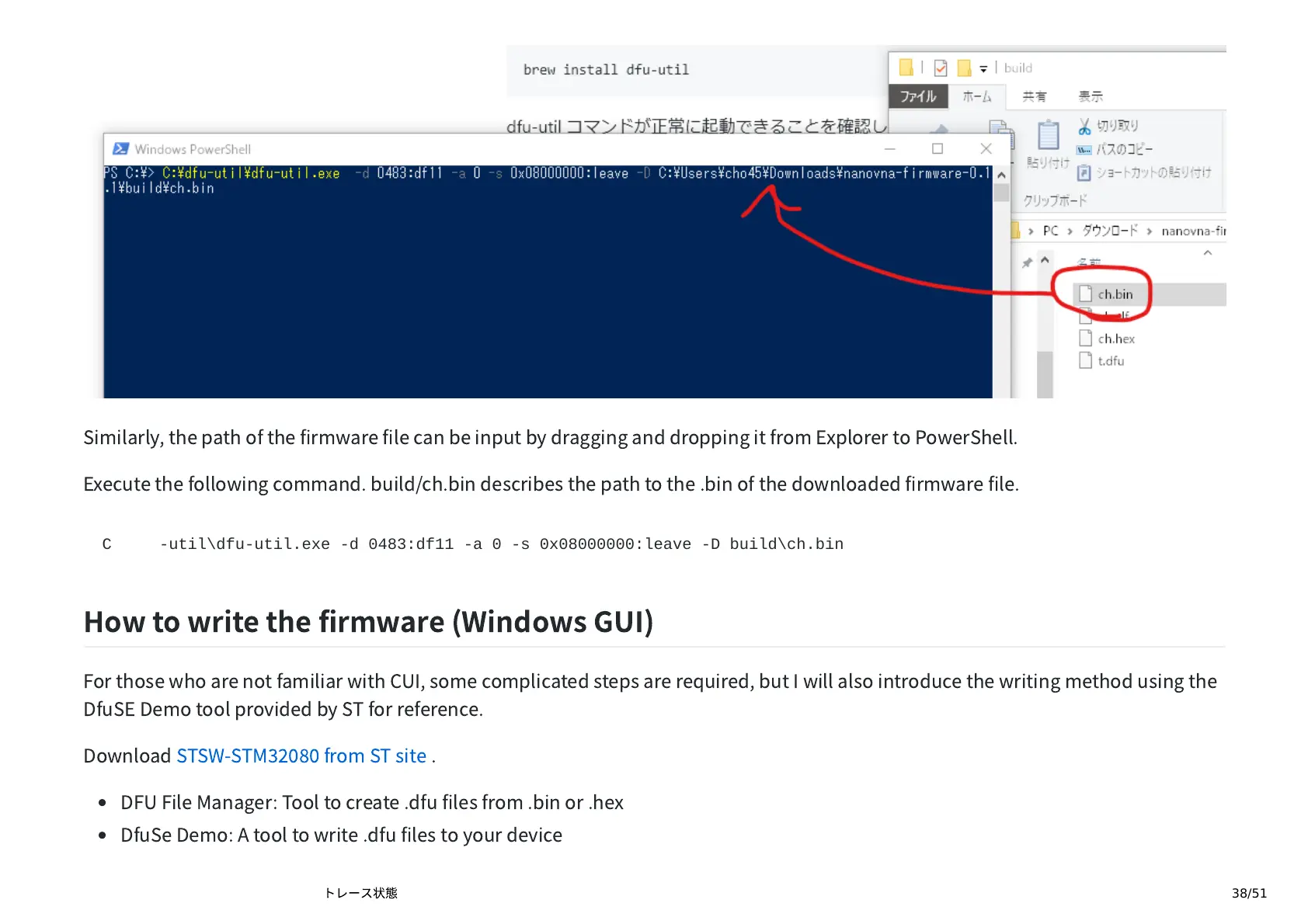
Similarly,
the
path
of
the
rmware
le
can
be
input
by
dragging
and
dropping
it
from
Explorer
to
PowerShell.
Execute
the
following
command.
build/ch.bin
describes
the
path
to
the
.bin
of
the
downloaded
rmware
le.
C:\dfu-util\dfu-util.exe -d 0483:df11 -a 0 -s 0x08000000:leave -D build\ch.bin
How
to
write
the
rmware
(Windows
GUI)
For
those
who
are
not
familiar
with
CUI,
some
complicated
steps
are
required,
but
I
will
also
introduce
the
writing
method
using
the
DfuSE
Demo
tool
provided
by
ST
for
reference.
Download
STSW-STM
from
ST
site
.
DFU
File
Manager:
Tool
to
create
.dfu
les
from
.bin
or
.hex
DfuSe
Demo:
A
tool
to
write
.dfu
les
to
your
device