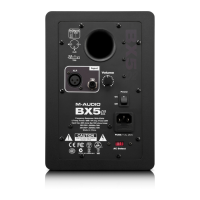
Mid-Boost:This 2-position switch selects between the “In” and “Out” Mid-Boost
modes.The Out mode produces a flat midrange response for normal monitoring
conditions, while In will move the sound stage forward toward your listening
position.
High-Freq:This 3-position switch selects High Frequency compensation with -2dB,
0dB or +2dB.The 0dB (normal) position produces flat response for use in most
common applications. Use -2dB if your mixes translate as dull or lacking in high
frequencies (lowering the high-frequency response will inspire the mix engineer to
add more highs). Use the +2dB setting for brighter-sounding audio playback, or to
compensate for mixes that translate as too bright.




 To Next Page