hi
F
ace
192
k
H
z
/24bit digital audio interface
REVISION 1.o – NOVEMBER 2010
Copyright © 2010, M2Tech Snc di Manunta & Marino
5
M2Tech
www.m2tech.biz
1. Connections
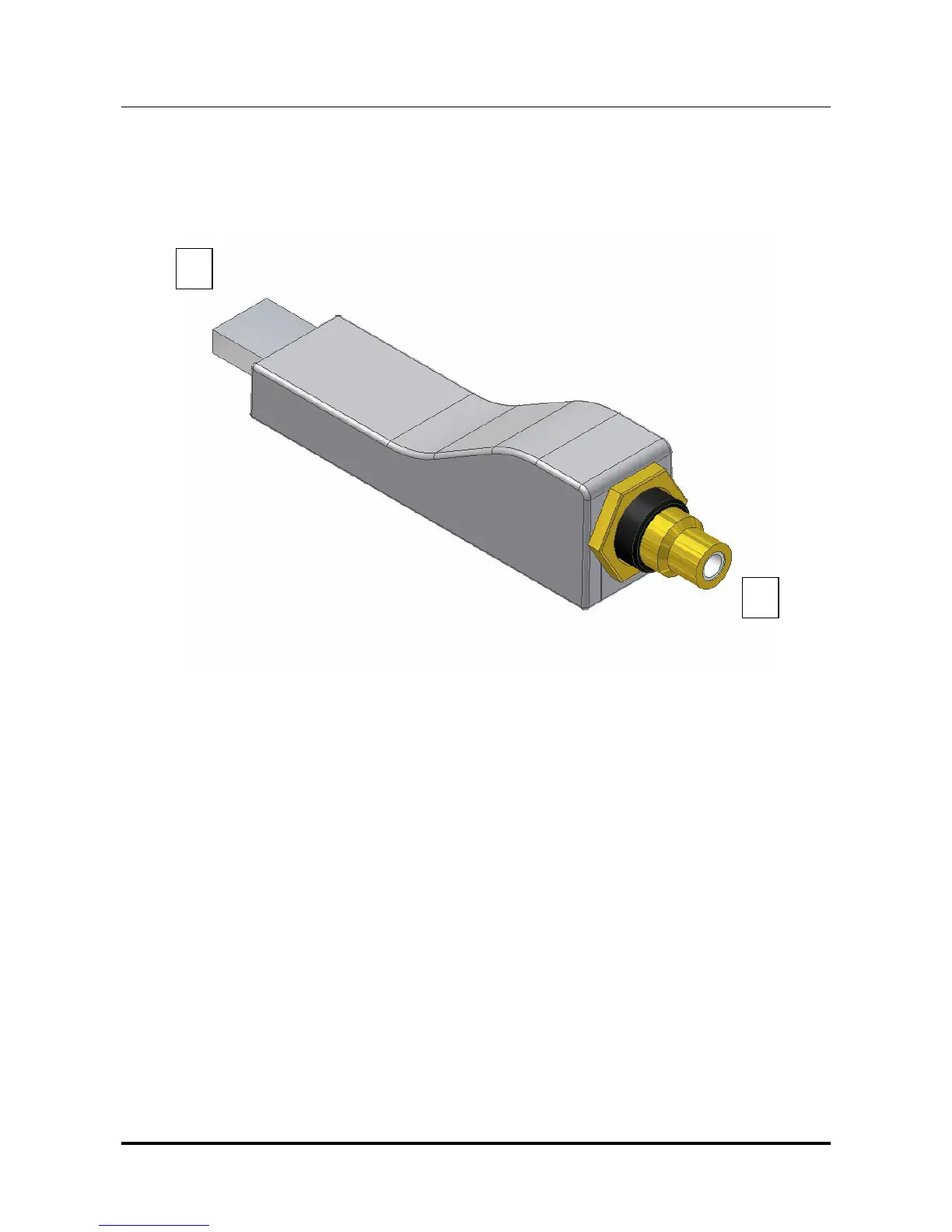
Figure 1
1) USB input. Connect directly to the USB 2.0 port of a PC or Mac, or use an USB
extender (A male to A female). In the latter, the extender must be compliant with USB 2.0
an less than 4m, otherwise the bus performance will decrease and the correct operation of
the interface will not be guaranteed. USB type A male connector
2) S/PDIF output. Connect to the DAC input with a 75 Ohms digital cable. RCA male
connector or BNC 75 Ohms male connector.
1



 To Next Page