21
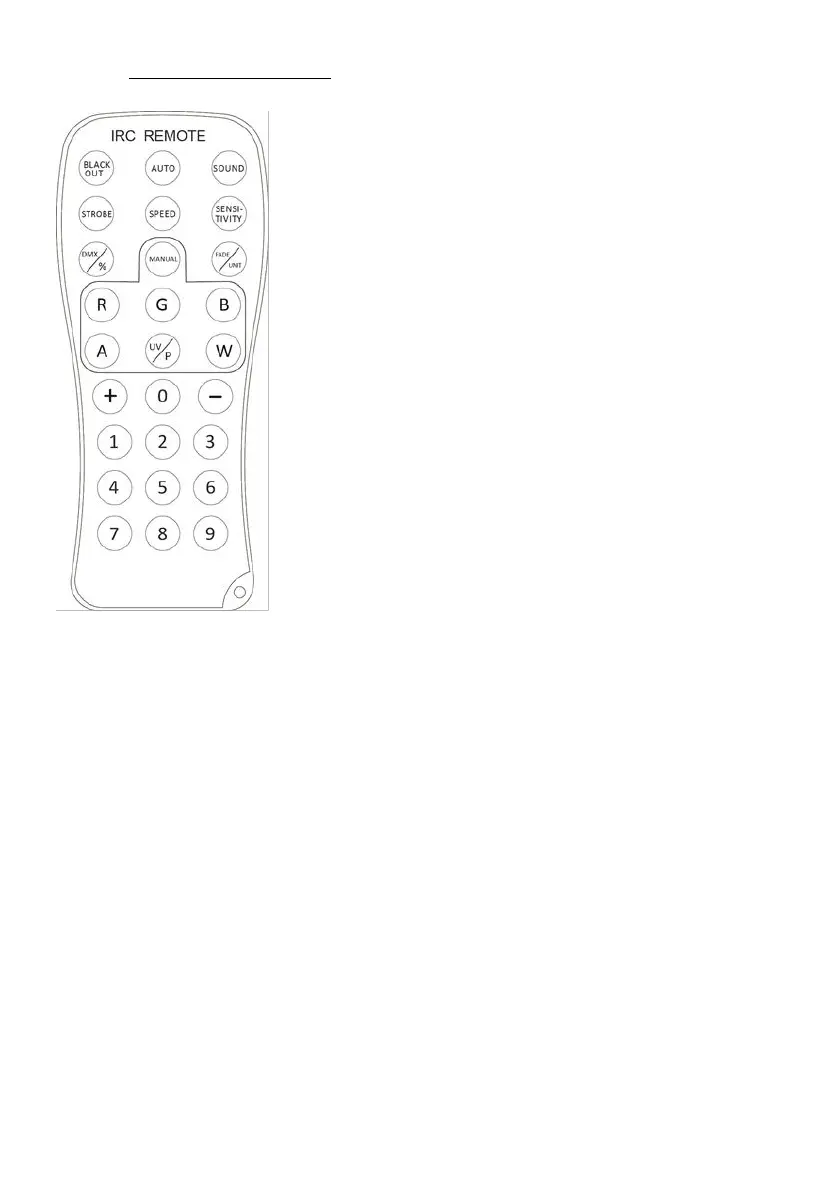
C. By IR remote controller :
BLACK OUT Mode
1. Press BLACK OUT off existing modes, Press BLACK OUT return the last modes.
AUTO Mode
Automatic mode will enable you to run the automatic programs on the product.
To turn on Automatic mode:
1. Press <AUTO> on the IRC.
2. Press <+> or <–> to choose between the different auto programs.
SOUND Mode
Sound-Active mode will enable the product to respond to the music.
To turn on Sound-Active mode:
1. Press <SOUND> on the IRC.
2. Press <+> or <–> to choose between the different SOUND programs.
STROBE Mode
To adjust the strobe speed of the automatic program and the sound active program.
1. Press <STROBE> on the IRC.
2. Press <+> or <–> to either increase or decrease the speed of the program.
3. Press <STROBE> again to turn off the strobe.
SPEED Mode
To adjust the speed of the automatic program and the sound active program.
1. Press <SPEED> on the IRC.


 To Next Page