29
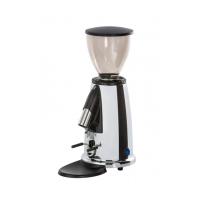
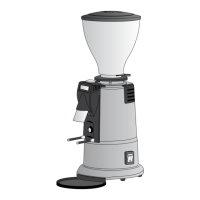
M2 SERIES
9.2 TECHNICAL DATA
Micrometric grinding adjustment Standard
Portafilter holder with adjustable rest Standard
Dose Single, double, triple, continuous
Available voltages 230 v 50/60 Hz – 110 v 60 Hz
Absorbed current 230V-50/60 Hz 1.5 A
Absorbed current 110V-60 Hz 2.8 A
Flat grinders Ø 50 mm
Dimensions mm 250 × 152 × 382 h
Hopper capacity 250 g
Weight 4,8 Kg
Operating cycle 8 s ON / 110 s OFF
9.3 APPLIANCE OPERATION
Position the hopper correctly and firmly on the upper
grinder holder and fill with coffee beans. Close the cof-
fee hopper with the cover provided and then open the
coffee hopper fan so that the coffee beans can drop
down into the grinding chamber. To activate the ap-
pliance, turn the main switch ON (see figure F1). When
the appliance is switched on, a brief welcome message
appears on the display and a few seconds later one of
the pre-set functions appears. To switch from one fun-
ction to another, press the DOSE button
Grinding is activated by pressing the dispensing switch
(see figure F6). To stop grinding, release the switch (at
this point you have 3 seconds in which to press the swi-
EN



 To Next Page