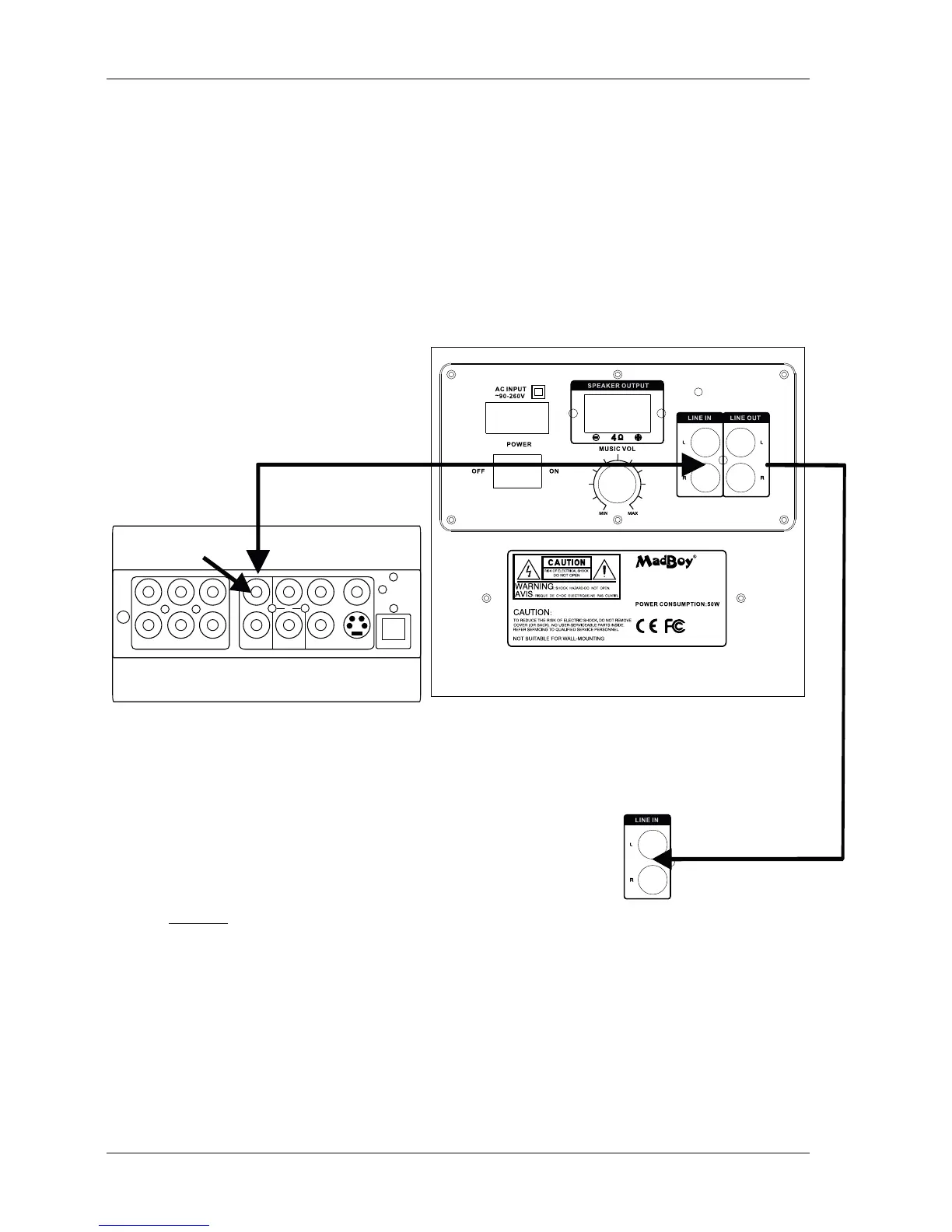
Connecting a Mixer/player (Fig. A)
What you will need
- Audio source(DVD, CD, mixer etc.) with Stereo audio output (Left and Right)
- RCA cable (Left(red) and Right(white)). Cable included.
1. Connect one end of each RCA cable to the RCA audio Left and Right outputs on the player/mixer.
2. Connect the other end of each RCA cable to the Left and Right RCA
Audio Input jacks on the rear panel of the BONEHEAD-206.
FL
CEN
SL
FR
SW SR
R
L
Y
COAXIAL VIDEO
S-VIDEO
Pb/Cb Pr/Cr
OPTICAL
Audio out
to Line in
Connecting to ie. active subwooffer (Ie. MadBoy BOSS-10) (Fig. B)
What you will need
- 1 RCA-RCA cable
Fig. A
1. Connect RCA plug to end of active subwoofer line/audio in.
2. Connect the other end of the RCA cable to Line out
on BONEHEAD-206 rear panel.
NOTICE! When connecting BONEHEAD-206 to another device via line out, make sure power is turned off
and volume is turned down (in both device ie. amplifier)! This is to avoid any unwanted noise/hazard.
WWW.MADBOY-AUDIO.COM
MODEL:BONEHEAD-206
WWW.MADBOY-AUDIO.COM
SERIAL NO.:
Rear panel of the BONEHEAD-206
to Line in
Fig. B
4
Getting connected continues



 To Next Page