15
MiniMad LIGHT
FEATURES
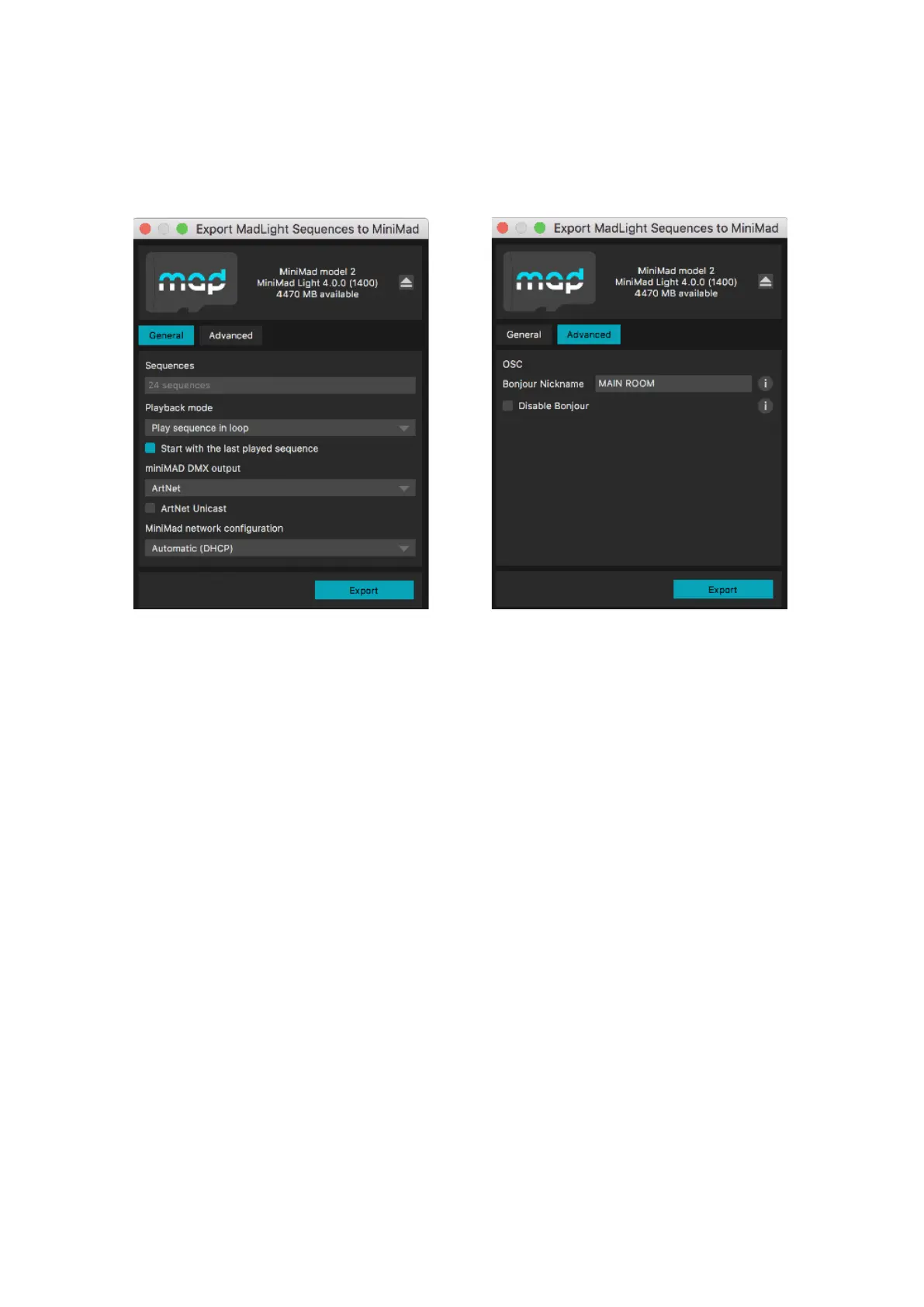
In Advanced tab, you can also specify a nickname for the the Bonjour OSC Discovery, or disable it
completely to prevent the miniMAD from appearing in applications supporting Bonjour.
(cf CONTROLS / OSC section for more details)
Insert the MiniMad SD-card in the SD-card reader.
Once the SD-card is ready, click Export to export selected sequences to the SD-card.
Once exported, the SD-card should be automatically ejected so you can directly stick it in your MiniMad.
AUDIO
MiniMad can either play audio through its audio mini-jack connector, or through an external USB system-
compliant audio device, enabling the MiniMad to play audio le with as many channels as your device
provides, in addition to an enhanced audio quality.
Make sure to plug the audio USB device prior to powering the miniMAD on.
Note also that the MiniMad might not be able to provide enough USB-power to your device depending
on its power consumption.
In this case please use an externally-powered USB hub in between the MiniMad and your device.


 To Next Page
 Loading...