!&
Quick reference guide
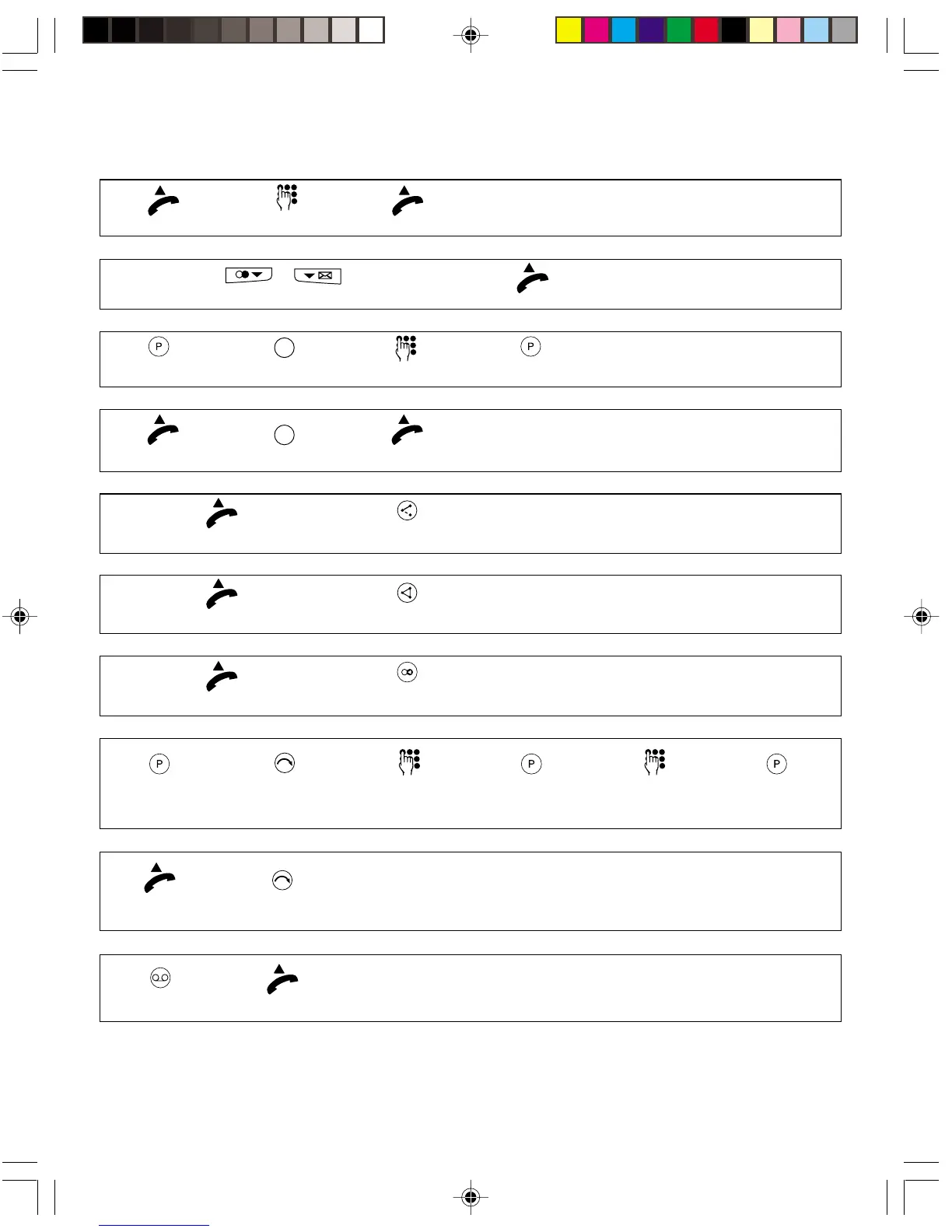
Making a call
Lift the handset. Dial the number. You can talk.
Dialling a number from the list of last numbers dialled or the caller list
Repeatedly press the repeat or caller list button.
Lift the handset.
Programming the memory buttons
Press the programming
button.
Press the
programming button.
Press the memory
button once or twice rapidly.
Dial the number.
Lift the handset. You can talk.
Calling using the memory buttons
Press the memory
button once or twice rapidly.
During a call, you are
called by a second caller.
Press the Broker's
call button.
Taking a second call
Info:
the first party is placed on hold.
During a call: you are talking to a
party and a second call is on hold.
Press the
conference button.
Setting up a three-way conference
Info:
all the parties can talk at the same time.
Your party is busy: you hear
the message or tone indicating this.
Press the
ringback button.
Activating ring back
Hang up when you hear the confirmation tone
Press the
programming button.
Programming call divert
Press the
divert button.
Press the divert button
Activate: short press
Deactivate: long press.
Activating/deactivating the call divert feature
Hang up
when you hear
the tone.
Choose the divert type:
1 = unconditional
2 = on no reply
3 = on busy.
Press the
programming button.
Dial the number Press the
programming button
Press the
PhoneMail button.
Consulting the PhoneMail service
Lift the
handset
You can listen
to your messages
Lift the handset


 To Previous Page