Operating Instructions
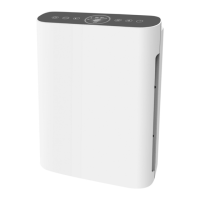
Carefully remove the air purifier from its box and plastic bag then position on a firm, level, and flat surface. For proper air
flow, locate the unit at least 30 cm from any wall or furniture making sure none of the grills are obstructed or blocked.
Open the front cover of the unit and remove the Combination filter. Remove the Combination filter from its plastic bag
and replace the filter to the unit ensuring that the tabs on either side of the filter are pointing outwards away from the
unit. Replace the front cover of the unit and discard the plastic bag immediately. Plug the power cord into a 220 - 240V
AC outlet. When moving the air purifier, always lift by the carrying handle located on back. The instructional panel on
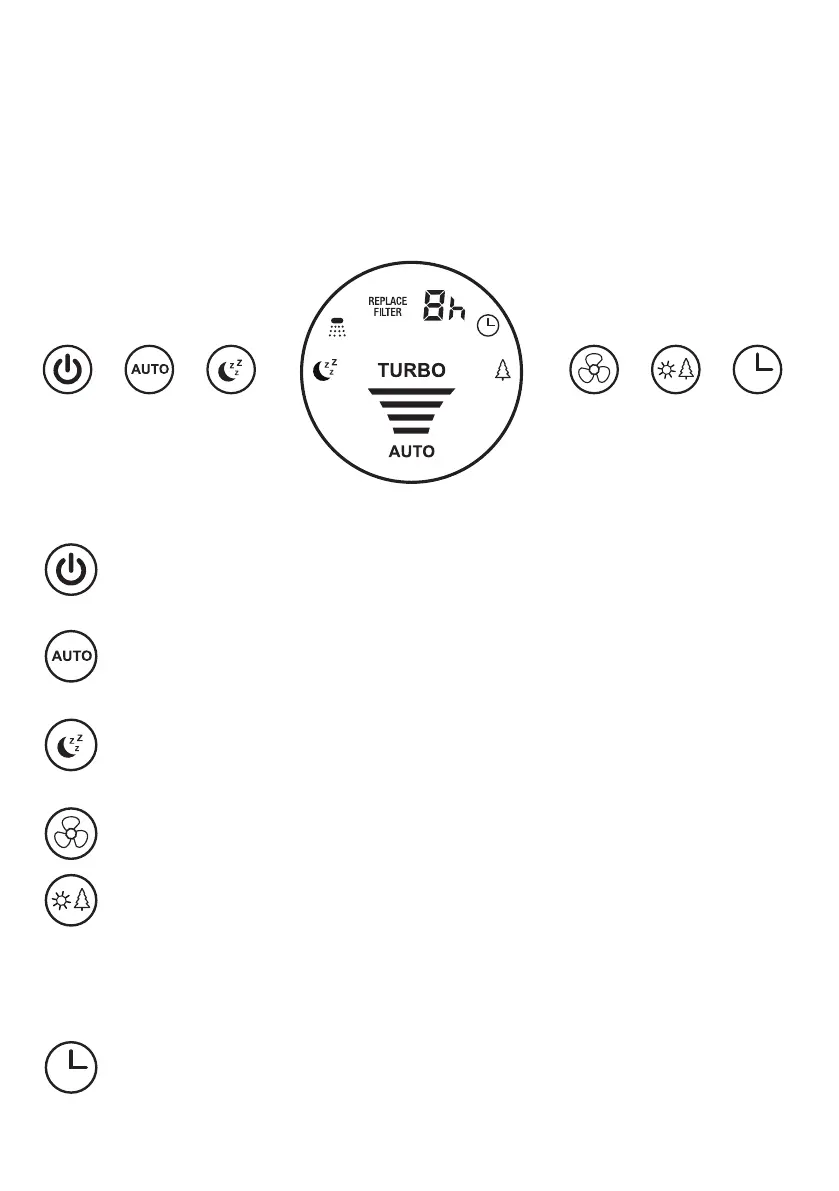
the top of the air purifier is displayed in the diagram below:
1. POWER and Filter Reset ICON
Press and release this icon to switch on or off. Press and hold this icon for 3-5 seconds to activate the Filter
Reset function. The Filter Rest Function is required after the filter has been replaced.
2. AUTO ICON
Press this icon to switch Auto mode on or off. In Auto mode, the AUTO indicator is illuminated and the
system automatically adjusts according to the air quality in the room.
3. SLEEP ICON
Press this icon to turn sleep mode on. The Sleep indicator will flicker for 10 seconds, then all lights will be
turned off and the appliance will run on low speed. Press any icon to quit Sleep mode.
4. SPEED ICON
Press this icon to adjust fan speed to I, II, III and IV. Pressing this icon overrides the AUTO function.
5. UVC Light and Ioniser ICON
Press this icon to switch the UVC light and Ioniser on and off.
• Press once to turn on UVC light
• Press twice to turn on Ioniser
• Press three times to turn off UVC light
• Press four times to turn off Ioniser.
6. TIMER ICON
By pressing this icon, the purifier can be timed to operate for 1h, 2h, 3h, 4h, 5h, 6h, 7h, 8h, or 9h stopping
automatically when time elapses.
IMPORTANT NOTE: WHEN THE MAESTRO AIR PURIFIER IS NOT IN USE, SWITCH IT OFF AND UNPLUG IT.


 To Next Page
 Loading...