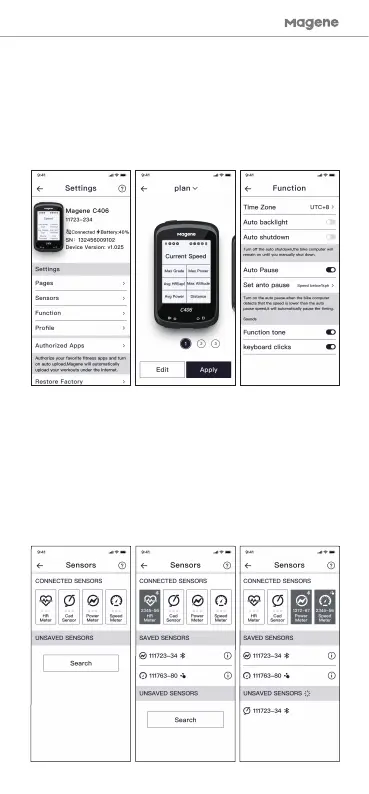
The C406 supports a wide range of external sensors such
as speed sensors, cadence sensors, power meters, and
heart rate monitors. Please follow these steps to connect
your sensors:
Step 1- Search for the sensor
Step 2- Click on your device in the list
Step 3- The device you selected is displayed in the
“Connected Devices” position and connection is complete.
3. Settings
4. Connecting new sensors
4
After completing the activation and binding procedures,
you’ll be brought to the settings screen. Here you can
adjust the number of pages, and the content of each
page to give options for a “limitless screen expansion”
and adjust the auto-shutdown time, sound on/off,
current time zone, personal information, etc.


 To Next Page