6
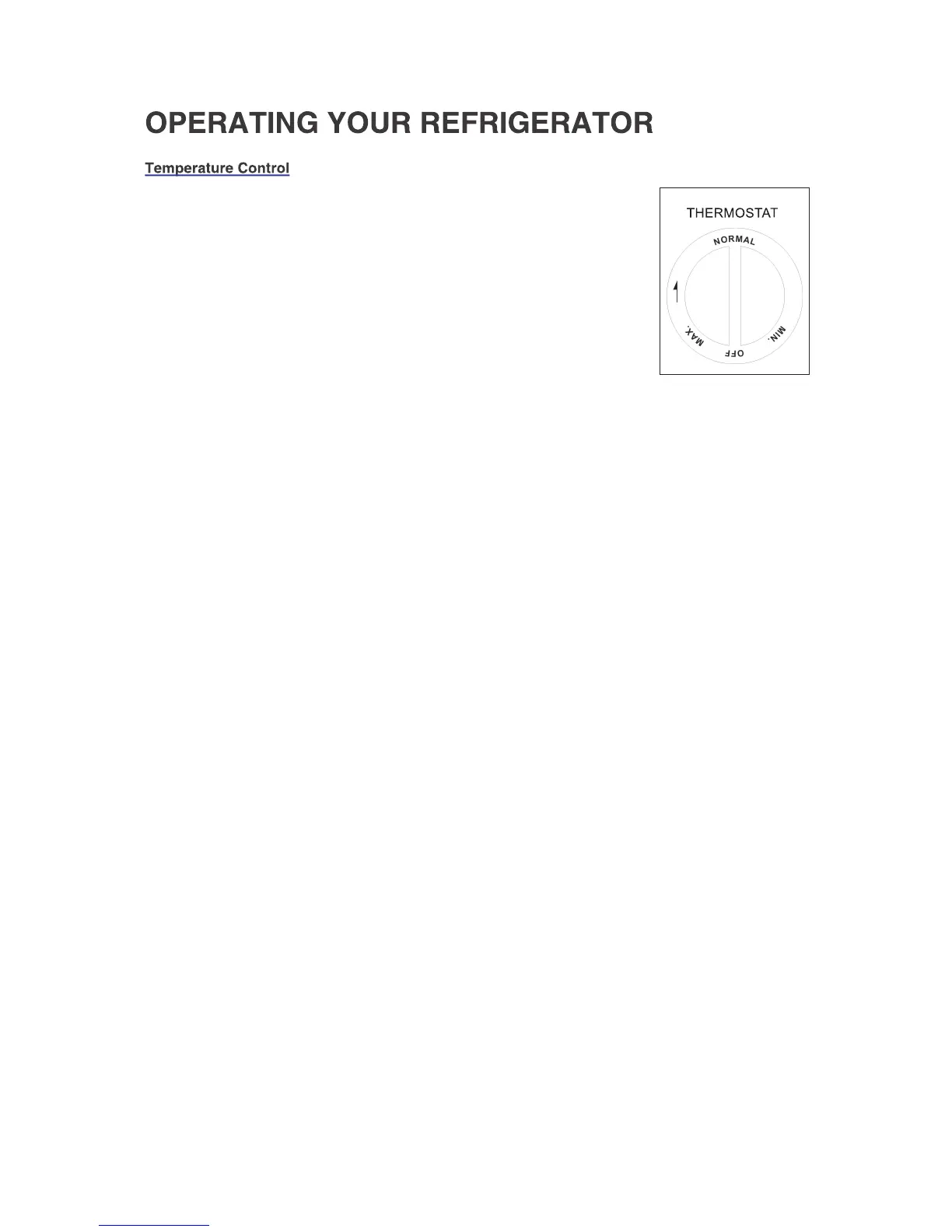
• To control the internal temperature, adjust the control dial according to
the ambient temperature or purpose of use.
• The temperature control dial has 3 settings from the coldest “MAX” to
the cold “MIN”. (OFF, MAX, NORMAL & MIN.)
• The first time you turn the unit on set the temperature control to
“NORMAL”.
• After 24 to 48 hours, adjust the temperature control to the setting that
best suites your needs.
• Turning the control to the “OFF” position stops the cooling cycle, but
does not shut off the power to the appliance.
• If the unit is unplugged, power lost, or turned off; you must wait 3 to 5
minutes before restarting the unit. If you attempt to restart before this
time delay, the appliance will not start.




 To Next Page