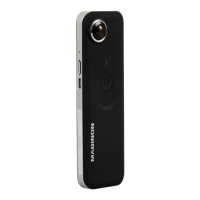
Camera DescriptionCamera Description
15
Wide
Menu mode: Down
Photo/ Video/ Playback mode: Digital
zoom in
Playback mode: Starts the thumbnail
mode
16
Left / Flash
Menu mode: Left
Playback mode: Previous picture
Photo mode: Selection of the flash
function
Picture playback: Navigate to the left in
the enlarged image
Video playback: Fast backward
17
Right / Playback
Menu mode: Right
Playback mode: Next picture, selection
of the playback mode
Picture playback: Navigate to the right
in the enlarged image
Video playback: Fast forward
18
Mode
Mode button: To select the recording
mode PHOTO or VIDEO
Playback mode: End
Picture playback: Navigate to the top in
the enlarged image
Video playback: Stop video playback
19
Menu / Delete
Record/ playback mode: Open menu
Playback mode: Deleting photos/ videos
Picture playback: Navigate to the bot-
tom in the enlarged image
Playback mode: File Manager (press
briefly)
20
Macro switch
O Macro mode: Use this mode to take
close up photos (distance 11 cm - 18 cm)
N Normal mode: Use this mode to
take pictures at a distances from 0.5 m -
infinity
21
On/Off button Press this button for 2 seconds to turn
on the camera and press it again for 2
seconds to turn the camera off.
Briefly press this button to set the dis-
playing of the rear monitor symbols to
on or off
22
LCD display swit-
ching button
Use this button to switch back and forth
between the front and rear monitor
23
Tripod thread
Used to mount the camera on a tripod
24
Slot for microSD
cards
Please insert your microSD/ SDHC card
here
25
USB interface
Through this connection you are able to
download photos and video clips to a
computer
26
Battery com-
partment
Battery compartment for 2x LR03 batte-
ries (AAA)


 To Next Page