EasyManua.ls Logo

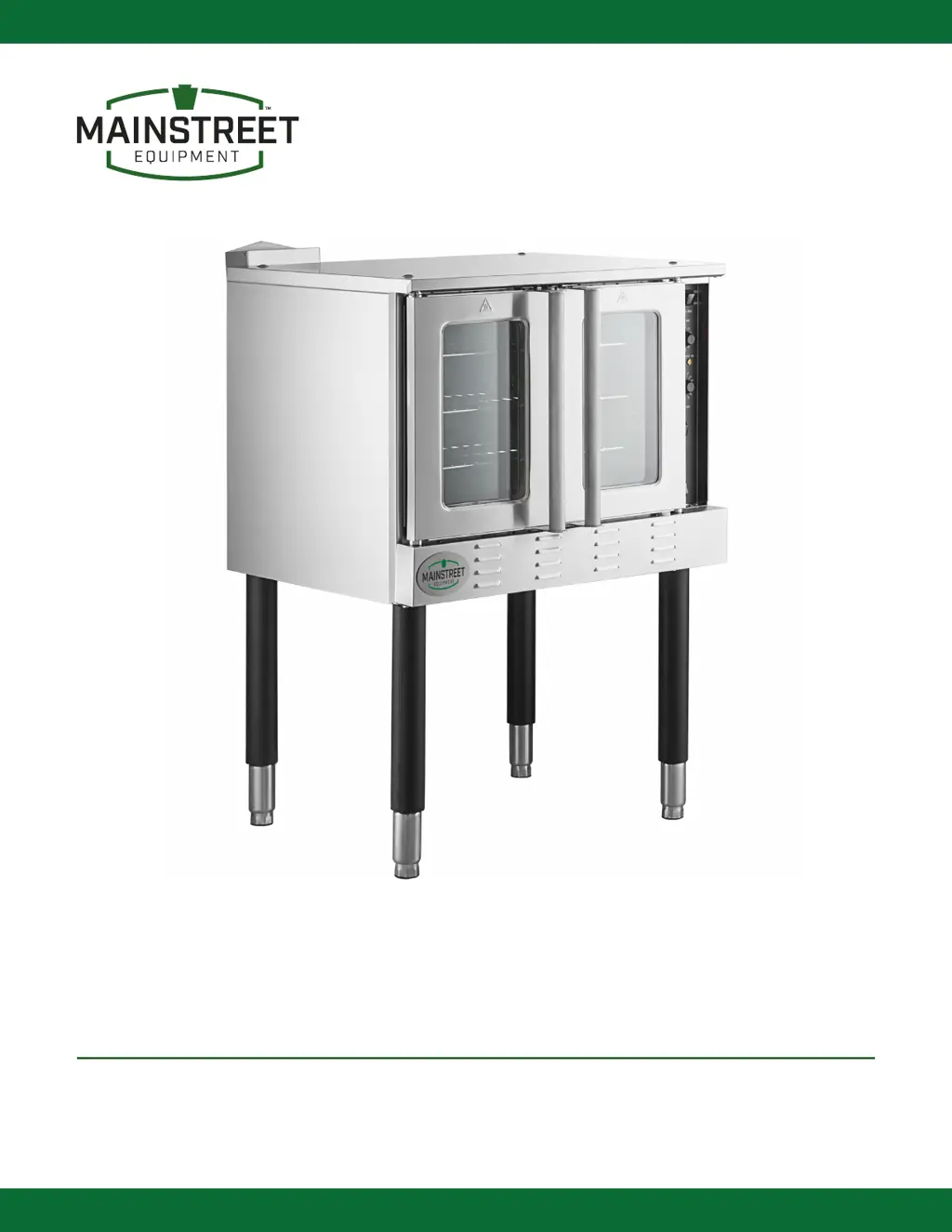
Mainstreet Equipment 541CG2LK - User Manual

Mainstreet Equipment 541CG2LK
33 pages
Print Icon
To Next Page IconTo Next Page
Loading...
USER MANUAL
GAS
CONVECTION OVENS
MODELS: 541CG1L, 541CG1N, 541CG2LK, 541CG2NK
Please read and keep these instructions. Indoor use only. 04/2024

Other manuals for Mainstreet Equipment 541CG2LK

Questions and Answers

  • A
    Ashley DominguezAug 8, 2025
    Why won't the burner turn on in my Mainstreet Equipment 541CG2LK?
    • G
      gfritzAug 9, 2025
      If the burner on your Mainstreet Equipment Convection Oven won't turn on, try the following: * Ensure the gas supply is turned on and at the correct pressure. * Make sure the unit is plugged in and has the correct voltage, and that the unit power switch is on. * Confirm the doors are closed and the cook switch is engaged. * Verify the thermostat is set above the current inside oven temperature. * Check if the ignition module is locked out (RED LED light blinking). * Inspect the surface igniter and internal gas valve.
  • H
    hendersonelizabethAug 13, 2025
    What to do if the blower fan won't turn on in my Mainstreet Equipment 541CG2LK?
    • Y
      Yvette DanielsAug 13, 2025
      If the blower fan on your Mainstreet Equipment Convection Oven isn't turning on, make sure the unit is plugged in and the power switch is 'ON'. If in 'cook' mode, ensure the doors are closed. Check that the correct voltage is going through the power switch and that voltage is getting to the fan. Also, inspect the fan speed switch and both door switches.
  • J
    Jill GrayAug 17, 2025
    Why won't the burner flame light or maintain flame in my Mainstreet Equipment 541CG2LK Convection Oven?
    • J
      Jerry BerryAug 17, 2025
      If the burner flame in your Mainstreet Equipment Convection Oven will not light or maintain a flame, check the gas pressure at the manifold. Inspect the burner air openings and adjust if needed. Also, check the surface igniter, orifice openings, flame sensor, and ignition module.
  • A
    Anthony ClineAug 21, 2025
    How to troubleshoot a Mainstreet Equipment Convection Oven that is not reaching temperature?
    • M
      Mason PowersAug 21, 2025
      If your Mainstreet Equipment Convection Oven is not reaching the set temperature, first ensure the thermostat is set to the correct temperature. Then, check that the fan is running and the burners are staying on. Finally, inspect the thermostat probe.
  • M
    Mark CrawfordAug 26, 2025
    Why are the burner flames small or weak in my Mainstreet Equipment Convection Oven?
    • L
      Lisa WhitakerAug 26, 2025
      If the burner flames in your Mainstreet Equipment Convection Oven are small or weak, ensure the gas supply pressure is correct. Check the manifold pressure with a manometer. Inspect the burner air openings (adjust if needed) and the orifice opening for each burner. Also, verify that the ventilation is set up correctly.
  • J
    Joshua KingAug 29, 2025
    What to do if the burner will not turn off in my Mainstreet Equipment 541CG2LK Convection Oven?
    • J
      Jennifer GutierrezAug 30, 2025
      If the burner in your Mainstreet Equipment Convection Oven will not turn off, check that the thermostat is turned "OFF". Also, check the temperature sensor/probe and the internal gas valve.
  • U
    uoliverSep 3, 2025
    Why are the burners producing black soot in my Mainstreet Equipment Convection Oven?
    • S
      smithpaulSep 3, 2025
      If the burners in your Mainstreet Equipment Convection Oven are producing black soot, ensure the correct gas is supplied (reference the nameplate). Also, ensure the correct ventilation is set up. Check the burner air openings and the orifice openings.

Mainstreet Equipment 541CG2LK Specifications

General IconGeneral
BrandMainstreet Equipment
Model541CG2LK
CategoryConvection Oven
LanguageEnglish

Related product manuals