Makeblock mElephant 3D Printer
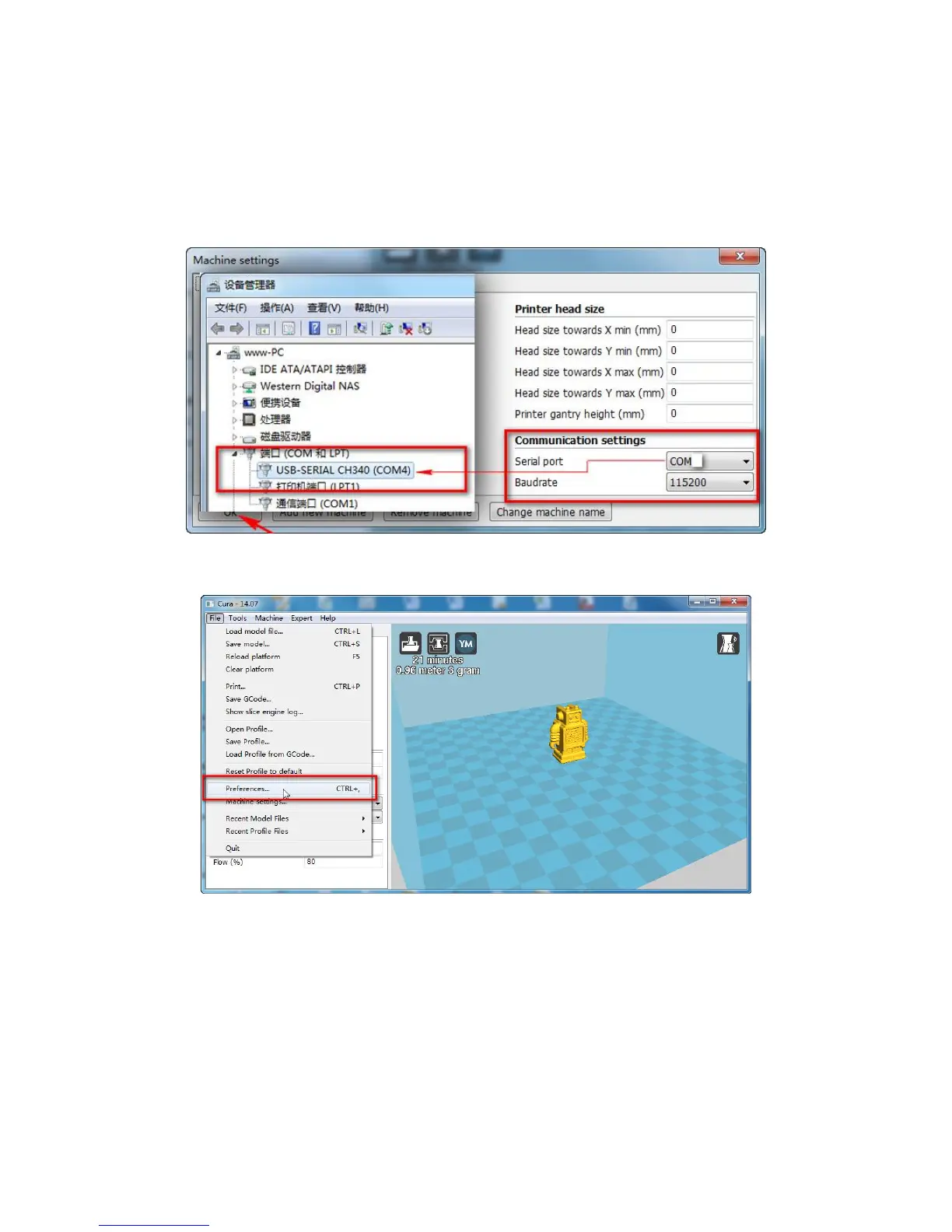
16. Select correct serial port (this port No. refers to the one you get from
the "Device Management" of your PC after installing the Arduino driver.
Please refer to "Install Arduino Driver" Section)
17. Enter advanced setting (Preferences)
18. Choose "Pronterface UI", and uncheck the "Check for Updates".


 To Next Page