Makeblock mElephant 3D Printer
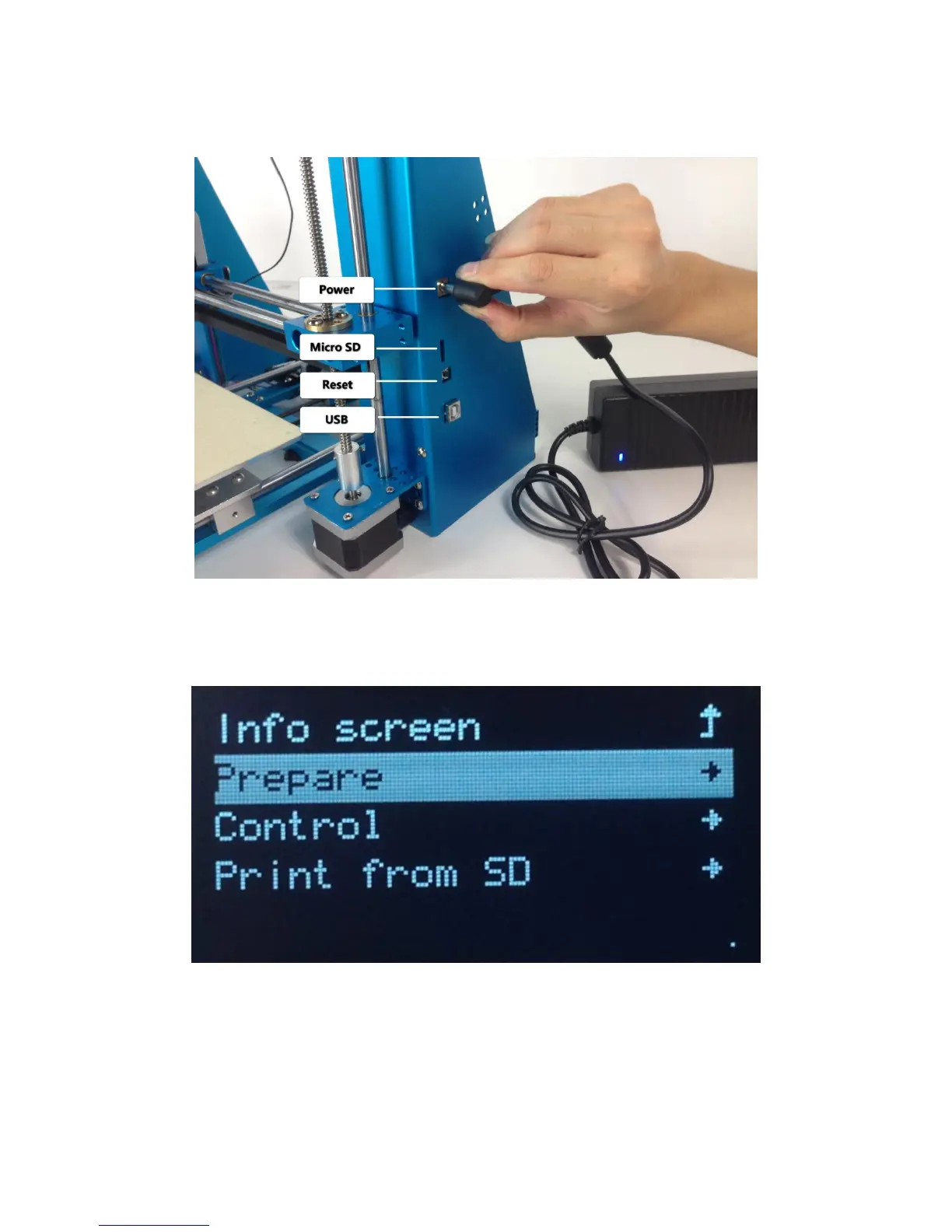
4. Plug in power, and press the knob to open the mElephant printer.
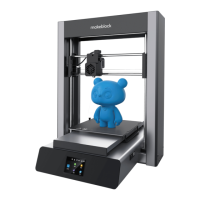
5. Rotate the knob clockwise, choose "Prepare", and then press the knob
again to confirm.
6. Rotate the knob clockwise, choose "Preheat PLA" and press the knob
to confirm preheating.


 To Next Page