EasyManua.ls Logo

Makita DF030D - User Manual

Makita DF030D
12 pages
Print Icon
To Next Page IconTo Next Page
Loading...
1
ENGLISH
INSTRUCTION MANUAL
WARNING:
For your personal safety, READ and UNDERSTAND before using.
SAVE THESE INSTRUCTIONS FOR FUTURE REFERENCE.
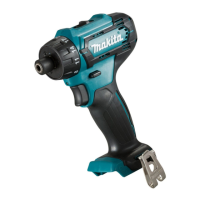
Cordless Driver Drill
DF030D
008796

Other manuals for Makita DF030D

Question and Answer IconNeed help?

Do you have a question about the Makita DF030D and is the answer not in the manual?

Summary

Specifications

Capacities

Details steel, wood, screw capacities of the drill.

Performance Data

Lists no load speed, chuck capacity, overall length, net weight, and rated voltage.

Safety and Usage

Symbols and Intended Use

Explains symbols and the tool's intended application for drilling and screw driving.

Noise and Vibration

Provides noise levels and vibration values as per EN60745 standards.

General Safety Warnings

Crucial safety advice for using power tools to prevent injury.

Compliance Information

EC Declaration of Conformity

Declares product compliance with EU directives and standards.

Work Area Safety

Cleanliness and Lighting

Keep work area clean and well lit to prevent accidents.

Atmosphere Hazards

Do not operate in explosive atmospheres due to spark ignition risk.

Bystander Safety

Keep children and bystanders away to maintain control.

Electrical Safety

Plug and Outlet Matching

Ensure power tool plugs match outlets to reduce shock risk.

Body Contact with Grounded Surfaces

Avoid contact with earthed surfaces to reduce shock risk.

Protection Against Moisture

Do not expose tools to rain or wet conditions.

Cord Care

Avoid cord abuse; keep away from heat, oil, and sharp edges.

Outdoor Extension Cords

Use suitable outdoor extension cords for outdoor use.

GFCI Protection

Use GFCI protected supply in damp locations.

Personal Safety

Stay Alert

Be alert and use common sense; avoid operating when tired or under influence.

Personal Protective Equipment

Always wear eye protection and other PPE as needed.

Prevent Unintentional Starting

Ensure switch is off before connecting power/battery.

Proper Footing and Balance

Keep proper footing and balance for better control.

Appropriate Dress

Do not wear loose clothing or jewellery; keep hair away from moving parts.

Dust Extraction

Ensure dust extraction facilities are connected and used.

Power Tool Use and Care

Use Correct Tool

Use the correct power tool for the application.

Switch Functionality

Do not use tools with faulty switches; they must be repaired.

Disconnect Power

Disconnect from power before adjustments or accessory changes.

Store Idle Tools

Store idle tools out of reach of children and untrained users.

Tool Maintenance

Maintain tools; check for misalignment or damage before use.

Cutting Tool Care

Keep cutting tools sharp and clean for easier control.

Instruction Adherence

Use tool and accessories per instructions, considering working conditions.

Battery Tool Use and Care

Charger Compatibility

Recharge only with the specified manufacturer's charger.

Battery Pack Usage

Use only specifically designated battery packs.

Preventing Short Circuits

Keep battery away from metal objects to prevent shorting.

Abusive Conditions

Avoid contact with battery liquid; seek medical attention if contact occurs.

Important Safety Instructions for Battery Cartridge

Read Cautionary Markings

Read instructions and cautionary markings on charger, battery, and product.

Do Not Disassemble

Do not disassemble the battery cartridge.

Stop if Overheating

Stop operation if operating time becomes excessively shorter.

Eye Contact with Electrolyte

If electrolyte gets into eyes, rinse with water and seek medical attention.

Prevent Battery Shorting

Do not short terminals, store with metal objects, or expose to water.

Storage Temperature

Do not store tool/battery where temperature exceeds 50°C (122°F).

Fire Hazard

Do not incinerate battery cartridge; it can explode in a fire.

Handle with Care

Be careful not to drop or strike the battery.

Tips for Maintaining Maximum Battery Life

Charge Before Discharge

Charge the battery cartridge before it is completely discharged.

Charge When Power is Low

Stop operation and charge when tool power is noticeably low.

Avoid Overcharging

Never recharge a fully charged battery cartridge.

Service and Maintenance

Qualified Servicing

Have your power tool serviced by a qualified repair person using identical parts.

Lubrication and Accessories

Follow instructions for lubricating and changing accessories.

Handle Dryness

Keep handles dry, clean and free from oil and grease.

Specific Safety Rules

Familiarity vs. Safety Rules

Do not let familiarity replace strict adherence to safety rules.

Hidden Wiring

Hold by insulated grips when contacting potential hidden wiring.

Firm Footing

Always be sure you have a firm footing.

Hold Tool Firmly

Hold the tool firmly.

Keep Hands Away

Keep hands away from rotating parts.

Do Not Leave Tool Running

Operate the tool only when hand-held.

Hot Parts

Do not touch hot drill bits or workpieces immediately after operation.

Chemical Safety

Prevent dust inhalation and skin contact with chemicals.

Functional Description

Battery Cartridge Installation;Removal

Instructions for inserting and removing the battery cartridge.

Switch Action

How to operate the switch trigger for tool function.

Front Lamp Operation

Description of how to turn on and off the front lamp.

Reversing Switch Action

How to change the direction of rotation using the reversing switch.

Speed Change

Changing Speed Settings

How to slide the speed change lever for high or low speed.

Correct Lever Position

Ensure speed change lever is fully in position to avoid damage.

Adjusting Fastening Torque

Torque Adjustment Ring

How to adjust the fastening torque using the adjusting ring.

Clutch Function

The clutch slips at set torque levels; test for application needs.

Assembly

Installing Driver Bit or Socket Bit

Instructions for installing bits using the sleeve mechanism.

Bit Compatibility (Europe;N.America)

Use specific bit types (A=12mm, B=9mm) for European/N. American countries.

Bit Compatibility (Other Countries)

Use specific bit types (A=17/12mm, B=14/9mm) for other countries.

Operation

Battery Insertion Caution

Ensure battery cartridge is fully locked in place before use.

Grip and Control

Hold tool firmly with one hand on grip, other on battery.

Screwdriving Operation

Adjust torque, place bit in screw head, apply pressure, and start tool.

Pilot Holes for Wood Screws

Predrill pilot holes for easier driving and to prevent splitting.

Drilling in Metal

Use center-punch for starting holes; use cutting lubricant for metals.

Drilling Operation Precautions

Avoid Excessive Pressure

Excessive pressure damages bits, reduces performance, and shortens tool life.

Hole Break Through

Hold tool firmly and exert care when bit breaks through workpiece.

Stuck Bit Removal

Use reverse rotation to remove stuck bits, holding tool firmly.

Secure Workpieces

Always secure small workpieces in a vise or hold-down device.

Battery Rest Period

Allow tool to rest for 15 minutes after battery discharge before recharging.

Using the Tool as a Hand Screwdriver

Switch and Lock

Switch off the tool and move the lock button to the locked position.

Torque Limit

Use with fastening torque less than 12.5 Nm for convenient screwdriving.

Avoid Excessive Force

Do not use for work requiring excessive force.

Using Holster

Holster Attachment

Thread belt through holster holder and lock tool with button.

Bit Retention

Two bits can be retained at the front of the holster.

Holster Safety

Turn off tool before placing in holster and close securely.

Maintenance

Pre-Maintenance Checks

Ensure tool is off and battery removed before inspection or maintenance.

Authorized Repairs

Repairs, maintenance, and adjustments should be done by authorized centers.

Accessories

Recommended Accessories

Use recommended accessories; others may pose injury risk.

Accessory List

Lists drill bits, screw bits, socket bits, bit piece, batteries, chargers, and holster.

Summary

Specifications

Capacities

Details steel, wood, screw capacities of the drill.

Performance Data

Lists no load speed, chuck capacity, overall length, net weight, and rated voltage.

Safety and Usage

Symbols and Intended Use

Explains symbols and the tool's intended application for drilling and screw driving.

Noise and Vibration

Provides noise levels and vibration values as per EN60745 standards.

General Safety Warnings

Crucial safety advice for using power tools to prevent injury.

Compliance Information

EC Declaration of Conformity

Declares product compliance with EU directives and standards.

Work Area Safety

Cleanliness and Lighting

Keep work area clean and well lit to prevent accidents.

Atmosphere Hazards

Do not operate in explosive atmospheres due to spark ignition risk.

Bystander Safety

Keep children and bystanders away to maintain control.

Electrical Safety

Plug and Outlet Matching

Ensure power tool plugs match outlets to reduce shock risk.

Body Contact with Grounded Surfaces

Avoid contact with earthed surfaces to reduce shock risk.

Protection Against Moisture

Do not expose tools to rain or wet conditions.

Cord Care

Avoid cord abuse; keep away from heat, oil, and sharp edges.

Outdoor Extension Cords

Use suitable outdoor extension cords for outdoor use.

GFCI Protection

Use GFCI protected supply in damp locations.

Personal Safety

Stay Alert

Be alert and use common sense; avoid operating when tired or under influence.

Personal Protective Equipment

Always wear eye protection and other PPE as needed.

Prevent Unintentional Starting

Ensure switch is off before connecting power/battery.

Proper Footing and Balance

Keep proper footing and balance for better control.

Appropriate Dress

Do not wear loose clothing or jewellery; keep hair away from moving parts.

Dust Extraction

Ensure dust extraction facilities are connected and used.

Power Tool Use and Care

Use Correct Tool

Use the correct power tool for the application.

Switch Functionality

Do not use tools with faulty switches; they must be repaired.

Disconnect Power

Disconnect from power before adjustments or accessory changes.

Store Idle Tools

Store idle tools out of reach of children and untrained users.

Tool Maintenance

Maintain tools; check for misalignment or damage before use.

Cutting Tool Care

Keep cutting tools sharp and clean for easier control.

Instruction Adherence

Use tool and accessories per instructions, considering working conditions.

Battery Tool Use and Care

Charger Compatibility

Recharge only with the specified manufacturer's charger.

Battery Pack Usage

Use only specifically designated battery packs.

Preventing Short Circuits

Keep battery away from metal objects to prevent shorting.

Abusive Conditions

Avoid contact with battery liquid; seek medical attention if contact occurs.

Important Safety Instructions for Battery Cartridge

Read Cautionary Markings

Read instructions and cautionary markings on charger, battery, and product.

Do Not Disassemble

Do not disassemble the battery cartridge.

Stop if Overheating

Stop operation if operating time becomes excessively shorter.

Eye Contact with Electrolyte

If electrolyte gets into eyes, rinse with water and seek medical attention.

Prevent Battery Shorting

Do not short terminals, store with metal objects, or expose to water.

Storage Temperature

Do not store tool/battery where temperature exceeds 50°C (122°F).

Fire Hazard

Do not incinerate battery cartridge; it can explode in a fire.

Handle with Care

Be careful not to drop or strike the battery.

Tips for Maintaining Maximum Battery Life

Charge Before Discharge

Charge the battery cartridge before it is completely discharged.

Charge When Power is Low

Stop operation and charge when tool power is noticeably low.

Avoid Overcharging

Never recharge a fully charged battery cartridge.

Service and Maintenance

Qualified Servicing

Have your power tool serviced by a qualified repair person using identical parts.

Lubrication and Accessories

Follow instructions for lubricating and changing accessories.

Handle Dryness

Keep handles dry, clean and free from oil and grease.

Specific Safety Rules

Familiarity vs. Safety Rules

Do not let familiarity replace strict adherence to safety rules.

Hidden Wiring

Hold by insulated grips when contacting potential hidden wiring.

Firm Footing

Always be sure you have a firm footing.

Hold Tool Firmly

Hold the tool firmly.

Keep Hands Away

Keep hands away from rotating parts.

Do Not Leave Tool Running

Operate the tool only when hand-held.

Hot Parts

Do not touch hot drill bits or workpieces immediately after operation.

Chemical Safety

Prevent dust inhalation and skin contact with chemicals.

Functional Description

Battery Cartridge Installation;Removal

Instructions for inserting and removing the battery cartridge.

Switch Action

How to operate the switch trigger for tool function.

Front Lamp Operation

Description of how to turn on and off the front lamp.

Reversing Switch Action

How to change the direction of rotation using the reversing switch.

Speed Change

Changing Speed Settings

How to slide the speed change lever for high or low speed.

Correct Lever Position

Ensure speed change lever is fully in position to avoid damage.

Adjusting Fastening Torque

Torque Adjustment Ring

How to adjust the fastening torque using the adjusting ring.

Clutch Function

The clutch slips at set torque levels; test for application needs.

Assembly

Installing Driver Bit or Socket Bit

Instructions for installing bits using the sleeve mechanism.

Bit Compatibility (Europe;N.America)

Use specific bit types (A=12mm, B=9mm) for European/N. American countries.

Bit Compatibility (Other Countries)

Use specific bit types (A=17/12mm, B=14/9mm) for other countries.

Operation

Battery Insertion Caution

Ensure battery cartridge is fully locked in place before use.

Grip and Control

Hold tool firmly with one hand on grip, other on battery.

Screwdriving Operation

Adjust torque, place bit in screw head, apply pressure, and start tool.

Pilot Holes for Wood Screws

Predrill pilot holes for easier driving and to prevent splitting.

Drilling in Metal

Use center-punch for starting holes; use cutting lubricant for metals.

Drilling Operation Precautions

Avoid Excessive Pressure

Excessive pressure damages bits, reduces performance, and shortens tool life.

Hole Break Through

Hold tool firmly and exert care when bit breaks through workpiece.

Stuck Bit Removal

Use reverse rotation to remove stuck bits, holding tool firmly.

Secure Workpieces

Always secure small workpieces in a vise or hold-down device.

Battery Rest Period

Allow tool to rest for 15 minutes after battery discharge before recharging.

Using the Tool as a Hand Screwdriver

Switch and Lock

Switch off the tool and move the lock button to the locked position.

Torque Limit

Use with fastening torque less than 12.5 Nm for convenient screwdriving.

Avoid Excessive Force

Do not use for work requiring excessive force.

Using Holster

Holster Attachment

Thread belt through holster holder and lock tool with button.

Bit Retention

Two bits can be retained at the front of the holster.

Holster Safety

Turn off tool before placing in holster and close securely.

Maintenance

Pre-Maintenance Checks

Ensure tool is off and battery removed before inspection or maintenance.

Authorized Repairs

Repairs, maintenance, and adjustments should be done by authorized centers.

Accessories

Recommended Accessories

Use recommended accessories; others may pose injury risk.

Accessory List

Lists drill bits, screw bits, socket bits, bit piece, batteries, chargers, and holster.

Overview

The Makita DF030D is a cordless driver drill designed for drilling and screw driving in wood, metal, and plastic. This instruction manual provides essential information for safe operation, maintenance, and optimal use of the tool.

Function Description

The DF030D operates as a cordless driver drill, allowing for both drilling and screw driving applications. It features a reversing switch to change the direction of rotation, enabling both clockwise and counterclockwise operation. A speed change lever allows users to select between high and low speeds, adapting the tool to different tasks. The fastening torque can be adjusted in 18 steps using an adjusting ring, with a maximum setting for drilling. The tool also includes a front lamp to illuminate the work area. For added versatility, it can be used as a hand screwdriver for tasks requiring less fastening torque.

Important Technical Specifications

  • Model: DF030D
  • Capacities:
    • Steel: 10 mm
    • Wood: 21 mm
    • Wood screw: 5.1 mm x 63 mm
    • Machine screw: M6
  • No load speed (min⁻¹):
    • High (2): 0 - 1,300
    • Low (1): 0 - 350
  • Chuck capacity: 6.35 mm
  • Overall length: 157 mm
  • Net weight: 0.88 kg
  • Rated voltage: D.C. 10.8 V
  • Noise Level (EN60745-2-1):
    • Sound pressure level (LPA): 70 dB(A) or less
    • Noise level under working may exceed 85 dB(A) (ear protection recommended)
  • Vibration Total Value (EN60745-2-1):
    • Work mode: Drilling into metal
    • Vibration emission (aħ,D): 2.5 m/s² or less

Usage Features

Battery Cartridge: The tool is powered by a battery cartridge. To insert, align the cartridge with the opening and push until it clicks into place. To remove, press the buttons on both sides and withdraw. It's crucial to ensure the battery cartridge is fully locked to prevent accidental detachment and potential injury. The manual emphasizes charging the battery cartridge before it's completely discharged and avoiding recharging a fully charged one to maximize battery life. Charging should occur at room temperature (10°C - 40°C).

Switch Action: The tool is operated by a switch trigger. Pulling the trigger starts the tool, and increasing pressure increases the speed. Releasing the trigger stops the tool.

Front Lamp: Pulling the switch trigger also activates a front lamp, which remains on while the trigger is pulled and turns off 10-15 seconds after release. Users are cautioned not to look directly into the light source.

Reversing Switch: A reversing switch lever allows for changing the direction of rotation. Depressing the lever from the 'A' side results in clockwise rotation, while depressing it from the 'B' side results in counterclockwise rotation. When the lever is in the neutral position, the switch trigger cannot be pulled, preventing unintentional starting. It is important to only use the reversing switch after the tool has come to a complete stop to avoid damage.

Speed Change: The speed change lever allows users to select between high (2) and low (1) speeds. The lever should be fully set to the desired position before operation to prevent tool damage. The speed should not be changed while the tool is running.

Adjusting Fastening Torque: The fastening torque can be adjusted in 18 steps by rotating the adjusting ring. The minimum torque is at setting 1, and the maximum is at the drill marking. The clutch is designed to slip at various torque levels from 1 to 18, but not at the drill marking. A trial screw drive is recommended to determine the appropriate torque level for specific applications.

Installing/Removing Bits: Bits with a specific inserting portion (12mm or 17mm for A, 9mm or 14mm for B, depending on region) are compatible. To install, pull the sleeve, insert the bit (and bit-piece if necessary), and release the sleeve. To remove, pull the sleeve and firmly pull out the bit. Ensure the bit is inserted deeply enough for proper securing.

Screwdriving Operation: Before screwdriving, adjust the torque ring to the appropriate level. Place the driver bit in the screw head, apply pressure, and start the tool slowly, gradually increasing speed. Release the trigger when the clutch cuts in. It is crucial to ensure the driver bit is straight in the screw head to prevent damage to the screw or bit. For wood screws, predrilling pilot holes is recommended to ease driving and prevent splitting.

Drilling Operation: For drilling, set the adjusting ring to the drill marking. When drilling in wood, guide screw-equipped drills are recommended. For drilling in metal, an indentation should be made with a center-punch and hammer before starting. A cutting lubricant should be used for most metals, except iron and brass, which should be drilled dry. Users are cautioned against excessive pressure, as it can damage the bit, decrease performance, and shorten tool life. Small workpieces should be secured in a vise.

Using as a Hand Screwdriver: The tool can be used as a hand screwdriver for tasks requiring less than 12.5 Nm of fastening torque. To do this, switch off the tool, move the lock button to position A, and then turn the tool. This mode is useful for checking screwdriving but not for tasks requiring excessive force.

Using Holster: A holster is provided for carrying the tool. It can be threaded onto a waist belt, and two bits can be retained at the front. Ensure the tool is turned off and has come to a complete stop before placing it in the holster, and securely close the holster.

Maintenance Features

  • General Maintenance: Always ensure the tool is switched off and the battery cartridge is removed before performing any inspection or maintenance.
  • Repairs: All repairs, maintenance, or adjustments should be performed by Makita Authorized Service Centers, using genuine Makita replacement parts, to maintain product safety and reliability.
  • Cleaning: Use a dry cloth to wipe dirt off the lens of the front lamp, being careful not to scratch it.
  • Handles: Keep handles dry, clean, and free from oil and grease.
  • Battery Rest: If the tool is operated continuously until the battery cartridge is discharged, allow the tool to rest for 15 minutes before proceeding with a fresh battery.

This comprehensive overview covers the essential aspects of the Makita DF030D, ensuring users can operate and maintain their tool effectively and safely.

Makita DF030D Specifications

General IconGeneral
BrandMakita
ModelDF030D
CategoryDrill
LanguageEnglish

Related product manuals